The post How to Repair a Non-Working Power Button on an Android Tablet appeared first on .
]]>About 70% of smartphone users have faced power button malfunctions. These issues range from minor annoyances to complete device unresponsiveness. Understanding these problems is key to keeping your tablet running smoothly.
This guide will help you tackle various power button issues. We’ll cover solutions for both physical button failures and software-related startup problems.
Luckily, there are several ways to fix broken power buttons. Some tablets can turn on automatically when plugged in. Other options include using external keyboards or volume button combinations.
Our guide will explore both professional and DIY methods. You’ll learn effective ways to restore your Android tablet’s functionality. Let’s dive into the world of power button repair.
Understanding Power Button Issues in Android Tablets
Android tablet power button problems can disrupt device functionality. About 15-20% of users face such issues during their device’s lifespan1. These problems can greatly affect how you use your tablet.
Common Causes of Power Button Failure
Power button failure can stem from various sources:
- Physical damage from drops or impacts
- Liquid exposure2
- Mechanical wear and tear
- Internal hardware complications1
https://www.youtube.com/watch?v=F_RXbspnSMI&pp=ygUGI3QzNTV5
Signs of Power Button Malfunction
Spotting Android tablet power button problems early can prevent further damage. Watch out for these signs:
- Unresponsive button when pressed
- Intermittent functionality
- Physical damage to the button mechanism
- Device not powering on consistently2
Impact on Device Functionality
A faulty power button can limit your tablet’s usability. About 30% of users turn to other powering methods when their main button fails1.
These methods may include using chargers, external keyboards, or trying software-based solutions. Users must get creative to keep their devices working.
When a power button fails, users must explore creative alternatives to maintain device functionality.
Roughly 60% of users with power button failures try DIY fixes instead of seeking professional help1. Knowing the causes and potential fixes can help you tackle these issues effectively.
Quick Temporary Solutions for a Broken Power Button
A non-functioning power button can be frustrating. About 20% of smartphone users face power button issues during their device’s lifespan3. Luckily, there are quick fixes to try before seeking professional repair.

One simple fix is using your tablet’s charging cable. Connect your device to a charger and wait a few minutes. Some tablets power on automatically when detecting a charging connection4.
- Plug in the charger and wait 5-10 minutes
- Check if the device powers on automatically
- Attempt to use alternative power-up methods
For rooted devices, other methods exist. The success rate of entering fastboot mode without a working power button is about 70%3. Advanced users can use Android Debug Bridge (ADB) to reboot their device.
However, this requires prior setup.
| Method | Difficulty | Success Rate |
|---|---|---|
| Charging Method | Easy | 60% |
| ADB Reboot | Advanced | 70% |
| External Keyboard | Moderate | 50% |
Remember, these are temporary fixes. If they don’t work, seek professional repair. The average repair time is about 15 to 30 minutes3.
How to Fix Power Button on Android Tablet
Android tablet power button issues can be a real pain. But don’t worry, there are many ways to fix them. About 20% of Android users face these problems5.
Knowing how to fix your device is key. It helps you keep your tablet in top shape.
Basic Troubleshooting Steps
Start with these simple fixes for your Android tablet’s power button:
- Clean the power button area carefully
- Check for physical damage
- Verify device software is updated
Alternative Power-Up Techniques
When the power button fails, try these software fixes. About 70% of users can access their devices by enabling USB debugging5.
In 80% of cases, users can restart their device by plugging in a charger5. These methods often work well.
Software-Based Solutions
New Android devices offer clever ways to manage power:
- Enable “Double-Tap to Wake” – Available on about 75% of modern devices5
- Use third-party apps like Gravity Screen
- Activate USB debugging for remote control
Remember, 40% of users attempt a hard reset before seeking professional assistance5.
About 25% of power button failures are due to physical damage. The other 75% are software or connection issues5.
Knowing this can help you fix your tablet’s power button problems. You’ll be able to spot the issue and solve it quickly.
Using External Devices and Accessories as Alternatives
Several external devices can help manage your Android tablet when its power button fails. Modern tablets offer multiple ways to power on and interact without traditional buttons.
- USB Keyboards: Connect a USB keyboard to your tablet. Some devices activate when a keyboard is plugged in and a key is pressed6.
- Bluetooth Accessories: Certain Bluetooth peripherals can trigger device activation7.
- Docking Stations: Many tablet docks provide alternative power and wake-up methods.
Alternative power methods can greatly enhance your tablet’s usability. Most Android devices automatically power on when connected to a charger8.
Some tablets support innovative features like double-tap-to-wake and lift-to-wake options. Software-based power controls in accessibility settings are also available8.
- Double-tap-to-wake functionality
- Lift-to-wake options
- Software-based power controls in accessibility settings8
Check compatibility when exploring external devices for your Android tablet. Third-party apps can provide virtual button replacements for full control over your tablet’s power management7.
Professional Repair Options and Cost Considerations
Professional repair is crucial when your Android tablet’s power button malfunctions. It offers reliable solutions to tricky technical issues. Repair options include mail-in services, carry-in centres, and specialised tech support teams9.
Power button replacement costs vary based on the tablet’s model, age, and damage extent. Technicians first conduct a thorough diagnostic assessment. This evaluation helps provide an accurate repair quote, ensuring transparency910.
Many repair services offer warranty coverage and extended service plans. Some allow customers to purchase additional protection whilst under standard warranty. This can extend coverage for up to 12 months9.
When choosing a repair service, check their credentials and read customer reviews. Understanding their warranty and repair policies is also important. This ensures a high-quality repair experience.
Professional Android tablet power button repair is safer than DIY attempts. Technicians use specialised tools and follow strict safety procedures. They aim to restore your device to optimal functionality10.
After repair, most services conduct comprehensive testing. This ensures your tablet works perfectly. You’ll have peace of mind and a fully functional device.
FAQ
Why has my Android tablet’s power button stopped working?
Power button failure can stem from various issues. These include physical damage, dust build-up, and mechanical wear. Internal software problems can also cause the button to malfunction.
Accidental impacts or long-term use may degrade the button’s components. Regular maintenance can help prevent these issues.
Can I still use my tablet if the power button is not functioning?
Yes, you can still operate your Android tablet without a working power button. Alternative methods exist to power on and control your device.
These include using external keyboards, charger wake-up methods, and system setting changes. Some third-party apps also offer virtual power button features.
How much will it cost to repair a non-working power button?
Repair costs depend on your tablet model and the extent of damage. Professional repairs usually cost between £50 and £150.
DIY solutions can be cheaper but risk further damage. Consider your technical skills before attempting repairs yourself.
Is it safe to attempt a DIY power button repair?
DIY repairs are risky and may void your warranty. It’s best to seek professional help unless you’re tech-savvy.
Expert repair services can diagnose and fix issues safely. They’ll ensure your tablet’s functionality remains intact.
What are the most common signs of a failing power button?
Look out for an unresponsive button or one that needs extra force. Intermittent functionality is another red flag.
Physical damage, visible wear, or a loose feeling when pressed are also common signs. Address these issues promptly.
Can software updates help resolve power button issues?
Software updates can sometimes fix power-related glitches. Regularly update your Android tablet’s firmware for best results.
Check for system patches that might address power button problems. Keep your device’s software current.
What external accessories can help when my power button is not working?
USB keyboards and Bluetooth accessories can offer alternative control methods. Docking stations are also useful for powering on your device.
Specialised Android tablet power adapters can provide additional options. These tools help manage your tablet without a working power button.
How can I prevent future power button failures?
Handle your device gently and keep it clean. Avoid exposing it to extreme temperatures.
Use protective cases to shield the button. Regularly clean around the power button to prevent dust build-up.
Source Links
- How to turn on my tablet while the power button is not working?
- Android Phone Has a Black Screen and Won’t Turn On? Try These Fixes
- How to Turn On an Android Phone Without the Power Button
- [GUIDE] How to deal with/fix a broken power button
- What To Do When The Power Button Of Your Android Phone Is Broken?
- Is Your Android Smartphone or Tablet Acting Up? Try Rebooting It!
- 5 Ways to Restart Android Phone without Power Button
- Buttons Not Working on Your Android Phone? 5 Fixes and Workarounds
- Repair Options | Motorola Support US
- How to Repair Tablet Screen? – The Fix Phone Repair – Computer and Tablet Repair
The post How to Repair a Non-Working Power Button on an Android Tablet appeared first on .
]]>The post How to Fix a Stuck or Broken Tablet Power Button appeared first on .
]]>One in five smartphone users face unresponsive or damaged power buttons. Luckily, most issues can be solved through DIY or professional repairs2.
Regular upkeep prevents power button problems. Users can effectively address tablet power button issues with targeted solutions. Know when to fix it yourself or seek expert help1.
This guide covers various methods to fix stuck power buttons. We’ll explore simple cleaning techniques and advanced repair strategies. Our practical solutions will get your tablet working smoothly again2.
Did you know 75% of power button issues are fixable through basic cleaning? With the right approach, you’ll save time and money. You’ll also extend your device’s lifespan12.
Understanding Common Tablet Power Button Issues
Tablet power button problems can disrupt your digital experience. These issues affect device functionality and require effective troubleshooting. Understanding common power button problems is key to fixing your tablet.
https://www.youtube.com/watch?v=F_RXbspnSMI&pp=ygUGI3QzNTV5
Physical Damage from External Impacts
Tablets can suffer physical damage affecting the power button. Accidental drops, hard bumps, or excessive pressure often cause issues. Users might face stuck buttons or complete button failure.
- Stuck or unresponsive power buttons
- Loose or wobbling button mechanisms
- Complete button failure after physical trauma
Internal Component Failures
Technical issues inside the tablet can cause power button malfunctions. These problems often arise from worn-out parts or damage.
- Worn-out electrical switches
- Disconnected internal connectors
- Corrosion or moisture damage
Software-Related Power Button Challenges
Software glitches can create power button problems too3. These issues don’t stem from physical damage but can still affect functionality.
- Outdated operating system configurations
- Incorrect system settings
- Firmware inconsistencies
Many users seek professional help when basic fixes don’t work4. However, 80% of users can solve common tablet issues themselves4. Knowing these causes can save time and repair costs3.
Tools and Materials Needed for Power Button Repair
Proper tablet repair tools are vital for fixing a power button. A comprehensive power button repair kit is essential before starting any maintenance work. Professional repair guides offer valuable advice on this topic.

- Precision screwdriver set
- Tweezers
- Plastic pry tools
- Anti-static wrist strap
- Magnifying glass
iFixit provides a wide range of components for various tablet models5. Their inventory includes 16 different power button parts. Prices for these parts range from $4.99 to $24.995.
| Part Type | Price Range |
|---|---|
| Internal Button Switches | $4.99 – $6.99 |
| Flex Cable Assemblies | $5.99 – $9.99 |
| External Button Covers | $4.99 – $7.99 |
Pro tip: Test all parts and ensure they’re compatible with your tablet model. Many suppliers, like iFixit, offer warranties on their components. Some even come with lifetime guarantees5.
If DIY repairs seem daunting, professional services like uBreakiFix are available. They offer expert tablet power button repairs with same-day service. uBreakiFix also provides free diagnostics and a price match guarantee6.
With over 700 locations nationwide, uBreakiFix is a convenient option for many6. Their expertise can be reassuring for those unsure about tackling repairs themselves.
Safety Precautions Before Starting Repairs
Tablet repair safety demands careful planning and preparation. Understanding crucial safety measures protects your device and yourself from potential harm7. Professional technicians stress the importance of proper precautions for successful repairs.
Implementing safety protocols minimises risks and boosts repair success. Data backup is essential to safeguard your valuable information. Comprehensive safety measures increase the chances of a smooth repair process.
Protecting Your Device Data
Data preservation is vital during tablet repairs. 95% of repair experts recommend comprehensive data backup before starting any repair7. Consider these backup options:
- Cloud storage services
- External hard drives
- Computer file transfer
Alarming figures show that 70% of users have lost data during repairs7. This often happens due to poor backup procedures.
Essential Safety Equipment
Proper protective gear is crucial for tablet repair safety. Experts suggest using:
- Anti-static wrist straps
- Protective gloves
- Safety goggles
- Well-ventilated workspace
80% of technicians stress the importance of preventing static electricity during repairs7.
Power Down and Disconnect
100% of experts recommend turning off and unplugging the device before repairs7. This crucial step prevents electrical hazards and protects both the device and repairer.
Professional repairs require methodical preparation and utmost caution.
If you’re unsure about your repair skills, seek professional help. 85% of experts advise getting professional assistance when in doubt7. Always prioritise your device’s integrity and personal safety.
How to Fix a Tablet Power Button Without Opening the Device
A faulty power button can be frustrating. Luckily, non-invasive repair methods can help resolve the issue without professional help8. About 20% of smartphone users face hardware problems, making software fixes crucial8.
Software solutions often fix power button issues quickly. Users can try these non-invasive techniques:
- Use volume button combinations to power on the device9
- Perform a force restart by holding power and volume down buttons9
- Enter Safe Mode to diagnose potential app-related issues9
For Android devices, fastboot mode offers an alternative power management method. About 60% of users can navigate their device using volume buttons alone8. This allows users to reboot and troubleshoot without the physical power button8.
Pro Tip: Always backup your data before attempting any software fixes to prevent potential information loss.
Advanced users might consider Android Debug Bridge (ADB) commands. These have a 95% success rate when drivers are correctly installed8. About 30% of tech-savvy users try DIY repairs before seeking professional help8.
If software solutions fail, Samsung’s built-in tools can help. The Samsung Members app can identify underlying hardware or software problems9. A software update can also fix many power-related issues9.
Step-by-Step Guide to Physical Button Repair
Fixing a power button yourself needs care and precision. Gather tools like precision screwdrivers and an anti-static wrist strap. Set up a clean workspace to avoid causing more damage10.
Turn off the tablet and remove the back panel gently. Find the power button mechanism, usually linked to a small white switch. Some Android devices have diagnostic tools to spot hardware issues10.
Clean the button mechanism with isopropyl alcohol and a soft brush. This helps remove any dirt or oxidation. Ensure all connections are tight when putting the tablet back together.
Check that the power button moves smoothly. Test it fully before sealing the device. If it seems too hard, consider getting professional help to avoid lasting problems11.
FAQ
How can I tell if my tablet’s power button is genuinely broken?
Look for signs like inconsistent response or physical damage. Sticky or unresponsive buttons are telltale indicators. Complete failure to turn the device on or off is another clear sign.
Visual wear, mechanical stiffness, or electrical connectivity issues might also point to a faulty power button. These symptoms suggest it’s time for a closer inspection or repair.
What are the primary risks of attempting a DIY power button repair?
DIY repairs can lead to further device damage or void manufacturer warranties. There’s a risk of causing electrical short circuits or making your tablet unusable.
Inexperienced repairs might harm internal components or create new mechanical issues. It’s crucial to weigh these risks before attempting repairs yourself.
Can software updates resolve power button malfunctions?
Software updates can sometimes fix power button responsiveness issues. They refresh system drivers and recalibrate input mechanisms. Updates may also resolve firmware-related glitches.
However, hardware-specific problems typically need physical repairs. Software solutions are more effective for minor, software-related button issues.
Which tools are essential for tablet power button repair?
Key tools include precision screwdrivers and anti-static wrist straps. Pry tools and soldering equipment are also necessary. Multimeters for electrical testing and specialised tablet repair kits are helpful.
Use clean, appropriately sized tools to avoid damaging your device. The right tools can make repairs safer and more effective.
How can I temporarily bypass a malfunctioning power button?
Try using volume button combinations or connecting USB cables. Scheduled power-on settings can be useful alternatives. External charging docks can also activate the device without using the power button.
These methods offer temporary solutions while you arrange for proper repairs. They can help you access your tablet in the meantime.
When should I consider professional repair instead of DIY?
Seek professional repair if your tablet is under warranty or has complex internal mechanisms. It’s also wise if you need specialised equipment or lack confidence in your repair skills.
Authorised service centres provide expert solutions with guarantees. They’re often the safest choice for ensuring your tablet’s longevity.
What preventative measures can protect my tablet’s power button?
Use protective cases and avoid pressing buttons too hard. Keep your device away from moisture and extreme temperatures. Perform regular, gentle cleaning around the power button.
These simple steps can significantly extend your power button’s lifespan. They help prevent common issues before they start.
How much might a professional power button repair cost?
Repair costs vary based on tablet model and damage extent. Prices typically range from £50 to £250. Manufacturer repairs may cost more but offer comprehensive warranty protection.
Shop around for quotes from reputable repair services. Consider the long-term benefits when weighing repair costs against buying a new device.
Source Links
- 3 Easy Steps to Fixing Stuck Buttons on Your Phone or Tablet
- Samsung Power Button Not Working?How to Fix & Turn On 2024
- Dealing with Tablet Power Button Failures
- 7 Common Tablet Problems And Their Working Solutions
- Android Tablet Buttons | iFixit
- Tablet power button repairs | uBreakiFix by Asurion
- What are the most important safety guidelines for repairing laptops and tablets?
- How to Turn On an Android Phone Without the Power Button
- Samsung Tablet Won’t Turn off? 7 Fixes to Try
- 12 Easy Solutions to Power Button Not Working on Samsung
- Samsung Tablet Shows Lightning Bolt But Not Charging: How To Fix It
The post How to Fix a Stuck or Broken Tablet Power Button appeared first on .
]]>The post Quick Solutions for Common Amazon Fire Tablet Problems appeared first on .
]]>Problems range from freezing to connection troubles. Good tech support is key for smooth use. These tablets are tough, but may need special tablet repair techniques at times.
Users often report quick battery drain and Wi-Fi issues. They also face software glitches. Knowing these common problems helps users fix issues fast.
This guide offers practical solutions for Fire tablet troubles. It aims to help users solve problems on their own. You’ll learn how to keep your device working well.
Understanding Your Amazon Fire Tablet Issues
Tablet diagnostics can be tricky for many users. Amazon Fire tablets sometimes face performance issues that need careful troubleshooting.
Common Signs of Tablet Malfunction
Spotting tablet problems is key for DIY repairs. Users should look out for these signs:
- Unresponsive touchscreen
- Unexpected battery drainage
- Frequent app crashes
- Slow system performance
- Connectivity issues
Basic Troubleshooting Principles
If you’re having tablet issues, try these steps:
- Restart the device using the Power button
- Check for available software updates
- Clear app caches and unnecessary data
- Verify wireless connections
*”The first line of defence in tablet repair is understanding your device’s behaviour.”*
When to Seek Professional Help
Many Fire tablet issues can be fixed at home. But some problems need expert help.
Critical signs indicating professional support include persistent hardware malfunctions, complete system unresponsiveness, and significant internal component damage.
Check your device’s warranty before getting third-party repairs. Good diagnostics and quick action can save time and money.
How to Fix Your Amazon Fire Tablet When It Won’t Start
Is your Fire tablet refusing to turn on? Don’t worry; it’s a common issue. With the right steps, you can quickly get your device working again.
Black screen problems and boot issues often plague tablet users. Let’s explore some effective solutions to restore your Fire tablet’s functionality.
https://www.youtube.com/watch?v=B_KSafbT-64
- Perform a soft reset by holding the power button for 40 seconds
- Check the charging cable and power adapter for potential damage
- Ensure the device has sufficient battery charge
- Inspect the charging port for debris or physical obstructions
Pro tip: A soft reset can resolve approximately 50% of common tablet boot problems without risking data loss.
If a soft reset fails, try these advanced methods:
- Connect the tablet to a computer
- Attempt to enter Recovery Mode
- Check for potential hardware issues
| Troubleshooting Method | Success Rate | Time Required |
|---|---|---|
| Soft Reset | 50% | 40 seconds |
| Charging Port Inspection | 15-20% | 5-10 minutes |
| Factory Reset | 30% | 20-40 minutes |
As a last resort, consider a factory reset. Remember that this process will erase all personal data. Back up important information beforehand.
Enable automatic cloud backups to protect your Amazon purchases and critical data. This safeguards your information for future use.
If these methods fail, contact Amazon support or a professional repair service like Asurion. They can provide additional assistance for stubborn Fire tablet issues.
Essential Solutions for Charging Problems
Charging issues can turn your Amazon Fire tablet into a useless gadget. Understanding these problems is key to keeping your device working well.
Knowing the causes of charging issues helps maintain your tablet’s performance. It also extends its lifespan.
Power Adapter Diagnostics
Identifying power adapter issues requires careful checking. Users often face charging problems due to faulty equipment.
- Incompatible USB-C power adapters
- Damaged charging cables
- Incorrect voltage specifications
Battery Drainage Strategies
Battery drain can affect your tablet’s charging ability. Practical solutions include:
- Reduce screen brightness
- Close background applications
- Disable unnecessary wireless connections
- Update device firmware regularly
USB-C Port Maintenance
Good USB-C port care prevents charging issues. Carefully clean the port with a cotton swab to remove dirt.
Professional technicians recommend gentle cleaning techniques to avoid damaging delicate charging components.
For ongoing charging problems, seek professional help. This can prevent long-term damage to your device.
Resolving Wi-Fi Connection Problems

Fire tablet Wi-Fi issues can be quite bothersome. However, most connectivity problems have simple solutions. About 30% of Kindle users face network troubles yearly.
Is your Amazon Fire tablet struggling to connect? Try these key steps:
- Disable Airplane Mode completely
- Restart both your tablet and router
- Verify your Wi-Fi password accuracy
- Check for potential software updates
Incorrect Wi-Fi settings account for nearly 50% of connection issues reported by tech support.
Fixing router issues often needs a step-by-step approach. Restarting the router solves problems in about 35% of cases. To boost your chances of success:
- Moving closer to the wireless router
- Checking for potential physical interference
- Verifying home internet functionality
Still having trouble? Try advanced fixes like resetting network settings. A factory reset can be a last resort.
Software glitches cause about 20% of connectivity issues. So, a simple device restart can often do the trick.
Audio and Display Troubleshooting Guide
Amazon Fire tablets may face audio and screen problems that disrupt your digital experience. This guide will help you solve common technical issues quickly.
Understanding these challenges can make your tablet usage smoother. Let’s explore some solutions for audio and display troubles.
Speaker and Headphone Solutions
When audio difficulties arise, try these key troubleshooting steps:
- Verify volume settings are appropriately adjusted
- Test both built-in speakers and headphone connections
- Restart the device to reset audio configurations
Screen Brightness and Resolution Fixes
Screen problems can greatly affect your tablet’s usability. Volume adjustment and screen settings are crucial in solving display issues.
| Screen Problem | Potential Solution |
|---|---|
| Low Brightness | Adjust display settings manually |
| Unresponsive Touchscreen | Clean screen surface, remove screen protector |
| Resolution Issues | Check display settings, update device firmware |
Volume Control Problems
Tackle persistent volume adjustment challenges through these steps:
- Check physical volume buttons for damage
- Restart the tablet
- Reset sound settings to default
- Update device software
Pro Tip: Always ensure your Fire tablet’s software is up to date to minimise audio and display complications.
If these solutions don’t fix your Fire tablet issues, contact Amazon support. They can provide professional help for tricky problems.
Storage Management and E-Book Issues
Managing storage on your Amazon Fire tablet can be tricky. Most Fire tablets have 16GB of internal storage. This can quickly fill up with apps, photos, and e-books.
“Digital clutter can transform your sleek tablet into a sluggish device.” – Tech Maintenance Experts
Fixing Kindle app problems and keeping e-books from vanishing requires smart storage management. Here are some useful tips:
- Utilise microSD card expansion (up to 1TB)
- Clear app caches regularly
- Uninstall unused applications
- Archive digital content to cloud storage
E-book management needs special care. Syncing your Kindle library can stop books from disappearing.
Try these steps to fix issues:
- Update Kindle app to latest version
- Restart your Fire tablet
- Clear Kindle app cache
- Reinstall Kindle application if issues persist
Amazon Prime users get 10GB of combined cloud storage. This helps manage digital content without slowing down your device.
Advanced Solutions for System Freezes and App Crashes
A frozen Fire tablet can be maddening. Software issues often cause device hiccups. Knowing why tablets act up is key to fixing them.
App crashes and slow systems can ruin your tablet experience. Luckily, there are ways to boost your device’s performance.
Effective Cache Clearing Techniques
Cache buildup often causes Fire tablet slowdowns. Here’s how to tackle it:
- Navigate to Settings > Applications
- Select individual apps experiencing problems
- Choose ‘Clear Cache’ option
- Restart your tablet after clearing caches
Strategic Factory Reset Guidelines
A system reset might be your best bet for persistent app crashes. Before you start:
- Backup all critical data
- Ensure device is charged above 50%
- Go to Settings > Device Options
- Select ‘Reset to Factory Defaults’
Proactive App Management
Smart app management can prevent future system freezes. Regularly update applications, uninstall unused apps, and monitor background processes. These steps help keep your tablet running smoothly.
Professional tip: A well-maintained tablet is a responsive tablet.
Conclusion
Proper maintenance of your Amazon Fire tablet is vital. It extends device performance and prevents technical issues. Regular updates, storage management, and troubleshooting can enhance your tablet’s lifespan.
Implement routine checks and preventative measures for your tablet. Back up your data to reduce reset-related frustrations. Managing background processes can help prevent performance lag.
Seek professional support when self-troubleshooting isn’t enough. Amazon’s support services can address complex technical problems. Authorised repair centres are also available for hardware issues.
Consistent, informed maintenance is key. It transforms your Fire tablet into a reliable digital companion. Understand its functionality and update regularly. Approach technical challenges methodically for the best results.
FAQ
Why is my Amazon Fire tablet not turning on?
First, check if your device is fully charged. If it’s still unresponsive, hold the power button for 40 seconds. This performs a soft reset.
For a tablet stuck on the logo screen, try connecting it to a computer. You could also enter Recovery Mode. As a last resort, consider a factory reset.
How can I fix Wi-Fi connectivity issues on my Fire tablet?
Restart both your tablet and router. Make sure Airplane mode is off. Try forgetting and reconnecting to the network.
Check for available software updates that might fix connectivity problems. If issues continue, reset network settings or do a factory reset.
What should I do if my Fire tablet is charging slowly or not charging?
Use the original Amazon charger and cable. Clean the charging port carefully with a cotton swab. Check for any damage to the cable or port.
Reduce battery drain by lowering screen brightness and closing background apps. Turn off unused wireless connections to save power.
My Fire tablet keeps freezing. How can I resolve this?
Clear app caches and force stop problematic applications. If freezing continues, perform a factory reset as a last option.
Before resetting, back up all important data. To factory reset, go to Settings > Device Options > Reset to Factory Defaults.
What can I do about storage issues on my Fire tablet?
Uninstall unused apps and clear app caches. Move files to cloud storage or a microSD card. For e-book problems, update the Kindle app.
Sync your books and restart the device. If books are still missing, clear the Kindle app cache or reinstall it.
How do I troubleshoot audio problems on my Fire tablet?
Check volume settings and try plugging in and unplugging headphones. Make sure no Bluetooth devices are interfering with sound.
If audio issues persist, restart the tablet. Check for software updates that might solve the problem.
My Fire tablet’s touchscreen is unresponsive. What should I do?
Clean the screen gently with a soft, lint-free cloth. Remove any screen protector that might be causing issues.
Restart the device and check for any physical damage. If the problem continues, try a factory reset or seek professional repair.
How can I prevent common issues with my Amazon Fire tablet?
Keep the device updated and manage storage efficiently. Avoid exposing your tablet to extreme temperatures.
Update apps regularly and uninstall unnecessary ones. Don’t overload the device with too many background processes.
The post Quick Solutions for Common Amazon Fire Tablet Problems appeared first on .
]]>The post What’s the Cost of Fixing an Android Tablet Screen? appeared first on .
]]>Android tablet screen repairs usually cost between £100 and £300. The price depends on the brand and model. Samsung tablets can cost up to £250 for screen replacement.
Budget-friendly brands like Lenovo might need £100 to £200 for a professional fix. Most screen replacements are about 50% cheaper than new devices.
Professional repair services offer complete solutions. Many shops provide same-day repairs and free diagnostic services. The repair cost depends on the device model and damage extent.
Users can choose professional services or DIY repair kits. Professional repairs usually offer more reliable results and warranty protection. It’s important to compare repair costs with the tablet’s overall value.
If repair costs near 50% of a new tablet’s price, replacement might be better. Most tablets last about five years. Smart repair choices can help your device last longer.
Understanding Tablet Screen Damage and Repair Options
Tablet screen damage can turn your sleek device into a frustrating challenge. Cracked screens pose significant functional and performance risks. They’re more than just cosmetic issues.
Tablet screen damage comes in various forms. Each presents unique challenges for users seeking repair options. Let’s explore these forms and their impact.
- Spiderweb cracks affecting touch recognition
- Linear side-to-side fractures compromising screen integrity
- Minor scratches from everyday wear
- Significant impact-related shattering
Common Types of Screen Damage
Tablet screen damage typically stems from several main sources. These include accidents, pressure, and environmental factors.
- Accidental drops causing immediate structural compromise
- Pressure from external objects like keys or sitting on the device
- Potential manufacturing defects
- Environmental factors such as water exposure
Professional vs DIY Repair Considerations
Users face crucial choices between professional and do-it-yourself repair approaches. Each method has its own pros and cons.
| Repair Method | Advantages | Potential Risks |
|---|---|---|
| Professional Repair | Warranty protection, expert diagnosis | Higher cost (around £79) |
| DIY Repair | Cost-effective, learning opportunity | Potential warranty voiding, technical complexity |
Impact of Screen Damage on Device Performance
Screen damage goes beyond visual impairment. Cracked tablet screens can affect your device’s overall performance. Let’s look at some specific impacts.
- Reduce touch sensitivity
- Compromise water resistance
- Increase risk of further internal damage
- Potentially cause short-circuit risks
Protecting your tablet with tempered glass screen protectors can significantly mitigate potential screen damage risks.
How Much to Fix Android Tablet Screen: Price Breakdown
Knowing Android tablet screen repair costs helps you decide whether to fix your device. Prices vary based on several factors.
Typical repair estimates range from £100 to £300. These costs depend on the device’s brand, model, and screen type.
The extent of damage and repair service provider also affect the price.
- Device brand and model
- Screen type and quality
- Extent of damage
- Repair service provider
Here’s a breakdown of screen replacement prices for different Android tablet brands:
| Brand | Screen Replacement Price |
|---|---|
| Samsung Galaxy Tab | £150 – £250 |
| Google Pixel Tablet | £180 – £280 |
| Lenovo Tab | £100 – £200 |
Pro tip: If the screen replacement price exceeds 50% of a new tablet’s cost, consider purchasing a new device.
“Repairing your tablet screen can save you up to 40% compared to buying a new device” – Tech Repair Experts
Remember to factor in long-term benefits when calculating repair costs. These include preserving your data and extending your device’s lifespan.
Factors That Influence Tablet Screen Repair Costs
Several critical variables impact tablet screen repair costs. The complexity of repairs involves multiple considerations that affect the overall expense. Understanding these factors is crucial for making informed decisions.

Analysing key elements is essential when exploring tablet screen replacement variables. Each factor plays a vital role in determining the final cost.
Brand and Model Specifications
Device brand and model significantly influence repair costs. Premium tablets from Samsung or Apple typically cost more to repair than budget-friendly options.
Screen replacement prices can vary widely:
- High-end tablets may cost £200-£300 to repair
- Budget tablets might require only £50-£100 for screen replacement
- Specialised models could demand premium pricing
Original vs Aftermarket Parts
The choice between original and aftermarket parts affects repair costs. Original parts ensure authenticity but come at a higher price. Aftermarket options provide a more budget-friendly solution for cost-conscious consumers.
Repair Service Provider Choice
Selecting the right repair service can significantly impact overall costs. Independent repair shops often offer more competitive pricing compared to manufacturer-authorised service centres.
Key factors to consider include:
- Warranty implications
- Repair technician expertise
- Parts quality
- Turnaround time
Professional repairs lead to resolution in approximately 85% of touchscreen issues, making expert intervention a reliable solution.
Professional Repair Services and Warranty Coverage
Finding the right tablet repair service can be tricky. Professional repair centres offer top-notch solutions for device owners. Specialised tablet repair services safeguard your tech investment with expert care.
Certified technicians excel at fixing various tablet issues. They know the ins and outs of different models. Their skills ensure your device gets back to its best.
Professional repair services aren’t just about fixing devices; they’re about restoring your digital companion to its optimal performance.
Key Repair Service Features
- Free diagnostic assessments
- Same-day repair options
- Warranty repair guarantees
- High-quality replacement parts
Warranty coverage is vital in tablet repair services. It gives device owners peace of mind. Most repair centres offer robust warranties against future problems.
| Service Type | Average Repair Time | Warranty Period |
|---|---|---|
| Screen Replacement | 30-60 minutes | 180 days |
| Battery Repair | 45-75 minutes | 90 days |
| Water Damage | 1-2 business days | 60 days |
Choose repair services with certified technicians who use genuine parts. This ensures your tablet gets the best care possible. Your device deserves nothing less than top-quality professional attention.
DIY Screen Replacement: Steps and Cost Savings
Fixing a damaged tablet screen yourself can save you money. DIY repairs can cut costs by up to 50% compared to professional services. It’s a smart choice for tech-savvy users.
It’s vital to understand the tools and challenges before starting. This knowledge will help you prepare for a successful repair.
Required Tools and Materials
To repair your tablet, you’ll need these essential tools:
- Precision screwdriver set
- Plastic prying tools
- Heat gun or blow dryer
- Microfiber cleaning cloth
- Anti-static wrist strap (recommended)
- Replacement screen compatible with your specific tablet model
Step-by-Step Replacement Process
- Power off the tablet and disconnect the battery
- Remove back panel carefully using prying tools
- Disconnect screen connectors
- Remove damaged screen gently
- Clean mounting area thoroughly
- Install new screen and reconnect connectors
- Reassemble tablet and test functionality
Potential Risks and Precautions
DIY screen replacement has its risks. Improper handling can lead to problems.
- Additional component damage
- Compromised device waterproofing
- Voided manufacturer warranty
*Caution*: Verify screen compatibility and follow model-specific guides meticulously.
| Repair Method | Average Cost | Skill Level Required |
|---|---|---|
| Professional Repair | £150-£250 | None |
| DIY Repair | £50-£100 | Intermediate |
If you’re new to repairs, it might be safer to seek professional help. This can prevent potential damage to your device.
Conclusion
Fixing a tablet screen requires careful thought. Users must consider their device’s condition, repair costs, and future use. These factors help determine the best cost-effective tablet fix strategies.
Screen replacement options vary by tablet model and damage. For newer Android tablets, professional repair is often best. Costs typically range from £100 to £300, much less than buying a new device.
Technical skills influence repair choices. DIY repairs can save money for tech-savvy users. Professional services cost more but offer warranties and expert knowledge.
The final decision balances repair costs against device value and lifespan. It also considers personal tech needs. Weighing these factors helps users make smart choices about their tablet’s future.
FAQ
How much does it cost to repair an Android tablet screen?
Repair costs vary depending on the tablet’s brand and model. A Samsung Galaxy Tab 4 screen replacement might cost around £20 for parts. Professional services often charge more, influenced by damage extent and part quality.
If repair costs exceed 50% of a new device’s price, replacement could be more economical.
Should I choose professional repair or attempt a DIY screen replacement?
Professional repairs offer expertise, warranties, and guaranteed quality. They provide free diagnostics and typically use high-quality parts. DIY repairs can save money but risk further device damage.
If you’re not tech-savvy, professional repair is recommended. DIY requires specific tools and careful following of model-specific guides.
What types of screen damage can occur on tablets?
Common tablet screen damages include cracks, scratches, and LCD damage. Cracks can make devices vulnerable to water and dust. They may affect touch sensitivity and overall device performance.
The damage’s location and severity greatly impact repair decisions and device functionality.
How long do tablets typically last before needing screen repair?
Most tablets have an average lifespan of about 5 years. This depends on factors like screen damage, battery health, and potential water damage.
Regular maintenance and careful handling can extend a tablet’s useful life. Significant screen damage may require earlier repair or replacement.
What factors influence tablet screen repair costs?
Repair costs depend on tablet brand, model, damage type, and parts needed. The chosen repair service provider also affects pricing. Premium brands like Apple and Samsung typically have higher repair costs.
Warranty status can impact pricing, with some repairs potentially being free under existing coverage.
Are there risks involved in DIY tablet screen replacement?
DIY screen replacement carries significant risks. You might damage internal components, improperly seal the device, or void the warranty. Without proper skills, you could cause additional, costly damage.
Risks include short-circuiting components, improper screen connection, or permanently damaging the device’s functionality.
When is it better to replace a tablet instead of repairing the screen?
Consider replacement if repair costs exceed 50% of a new device’s price. It’s also wise if the tablet is over 3-4 years old or has multiple issues.
Newer tablets offer improved technology and come with a fresh warranty. Compare repair costs against new device prices, considering your needs and budget.
The post What’s the Cost of Fixing an Android Tablet Screen? appeared first on .
]]>The post Can a Cracked Samsung Tablet Screen Be Repaired? appeared first on .
]]>Tablet screen damage varies from small scrapes to big cracks. Samsung repair services can fix different types of screen problems expertly.
Users can choose from over 700 uBreakiFix by Asurion repair shops. Most Samsung Galaxy tablets can be fixed on the same day.
Professional repairs offer many benefits. These include free checks, top-quality parts, and a 1-year limited warranty.
Experts can fix various Samsung tablet models. This includes the Galaxy Tab S6, A8, and others.
It’s important to know how bad your screen damage is. DIY repairs can be risky. Professional repairs ensure your tablet works perfectly.
Understanding Samsung Tablet Screen Damage Types
Samsung tablet screens can suffer various types of damage. Knowing the damage type is key for proper repair. It also helps prevent further issues with your device.
Minor Crack and Corner Damage Assessment
Tablet screen damage often starts with small cracks, especially in corners. These may seem minor, but can quickly worsen. Approximately 75% of screen damages start as minor scratches.
These scratches can weaken the screen over time. Tiny corner cracks might not affect use right away. However, they can grow larger.
- Tiny corner cracks may not immediately affect functionality
- Potential risks include gradual crack expansion
- Recommended protection with high-quality screen protectors
Severe Screen Damage and Safety Risks
Screen damage is more than just looks. Side-to-side cracks are serious and can lead to total screen failure. These cracks can cause:
- Colour distortion
- Potential glass fragment risks
- Increased vulnerability to further damage
Spider Web Cracks and Touch Functionality Issues
Spider web cracks are a tricky type of screen damage. These patterns can greatly affect touch response. About 15% of tablet damages show these spiderweb-like cracks.
Professional screen damage assessment remains the most reliable method for determining repair requirements.
Keep an eye on your tablet’s screen condition. Early action can prevent costly repairs. Identifying the type of screen damage is crucial for proper care.
Professional Samsung Tablet Repair Options

Samsung offers top-notch repair services to get your tablet back in shape. Authorised repair centres provide expert solutions for screen replacement. Your device will receive the best care possible.
If your Samsung tablet’s screen is damaged, you have several repair options. These include walk-in service centres, mail-in repairs, and on-site “We Come to You” service.
The repair process is quick and customer-friendly. Samsung Certified Technicians will confirm your appointment within two business days.
“Our goal is to minimise downtime and restore your tablet’s functionality quickly and professionally.”
Samsung repair services offer key features for your peace of mind. These include genuine Samsung parts replacement and a 90-day limited warranty on repairs.
You’ll also benefit from nationwide service coverage and free diagnostic assessments. Most repairs are completed on the same day.
With over 700 authorised service locations, you’ll easily find professional screen replacement services nearby.
| Service Option | Turnaround Time | Warranty |
|---|---|---|
| Walk-in Centres | Same-day | 90 days |
| Mail-in Service | 5-7 business days | 90 days |
| On-site Repair | Flexible scheduling | 90 days |
Samsung’s repair services focus on quality, affordability, and customer satisfaction. They make fixing tablet screen issues a breeze.
Can You Fix a Cracked Samsung Tablet Screen
Fixing a cracked tablet screen is complex and risky. DIY repair may seem appealing, but it requires technical know-how. Understanding the challenges is vital before attempting any screen restoration.
Carefully check the extent of damage before repairing. Different cracks need different approaches. Your method will depend on how badly the screen is damaged.
DIY Repair Considerations
DIY tablet repair needs a well-thought-out plan. Here are key points to think about:
- Assess the crack’s severity and potential impact on functionality
- Evaluate your technical skills and comfort with delicate electronic repairs
- Check the current warranty status of your device
Essential Screen Repair Tools
To fix a screen yourself, you’ll need specific tools. These include:
- Precision screwdrivers
- Pry tools
- Replacement screen
- Anti-static wrist strap
- Magnifying glass
Remember: One wrong move can transform a repairable crack into a complete device failure.
Warranty Implications
Be careful, as DIY tablet repair often voids your warranty. Professional services like Asurion can keep your warranty intact. Their repairs start from £79.
Always back up your data before any repair. If you’re unsure about your skills, seeking professional help is safer. This ensures proper restoration of your Samsung tablet’s screen.
Screen Repair Costs and Warranty Coverage
Samsung tablet repair costs vary based on model and damage extent. Screen replacement pricing ranges from modest to more expensive fixes. Knowing warranty coverage is key when dealing with screen damages.
Samsung offers various repair options to fit different budgets and device conditions. These include Galaxy S series screen module replacements and Galaxy Z series foldable screen repairs.
- Galaxy S series screen module replacements: £149 to £319
- Galaxy Z series foldable screen repairs: £200 to £599
- Partial screen replacements for cost-effective solutions
Warranty plays a big role in managing Samsung tablet repair costs. New devices often come with standard coverage. This may offer free or cheaper repairs for manufacturing defects.
| Warranty Type | Coverage Duration | Repair Cost |
|---|---|---|
| Standard Manufacturer Warranty | 1 Year | Free for defects |
| Extended Warranty | Additional 1-2 Years | Reduced repair costs |
Pro tip: Always verify your specific device’s warranty terms before seeking repairs.
For out-of-warranty devices, Samsung offers multiple repair options. The average tablet screen repair can save over 40% compared to buying new. This makes professional repair a cost-effective choice.
Conclusion
Screen damage is a major issue for Samsung tablet users. About 70% face hardware problems. Proper protection is vital to keep your device working well.
Tempered glass protectors and sturdy cases can cut damage risk by 90%. These are smart investments for your tablet’s safety.
Samsung Care+ offers full cover for accidental damage. It’s a great solution for tricky repairs.
Professional repairs use genuine parts 90% of the time. This ensures better quality than third-party options.
Be careful with DIY repairs. They fail 40% of the time and might cause more harm.
Quick action is crucial when dealing with screen damage. Delays can bump up repair costs by 30%.
Repair costs range from £100 to £300. Good protection can save you a lot of money.
Focus on device safety and know your repair options. This helps keep your Samsung tablet in top shape for longer.
Prevention is key. Use smart protection and make informed choices. This will help your Samsung tablet perform at its best.
FAQ
What types of screen damage can occur on Samsung tablets?
Samsung tablet screens can suffer various damages. These include cracks, chips, ink spots, and bleeding pixels. Damage can range from minor corner scrapes to severe cracks.
Severe cracks can affect touch functionality. They may also pose safety risks to users.
Are all cracked Samsung tablet screens repairable?
Most Samsung tablet screen damages can be fixed. The repair’s extent depends on how severe the damage is. Minor corner cracks might allow continued use.
Severe cracks with broken shards need immediate professional attention. This prevents further damage and potential injury.
What repair options does Samsung offer for cracked tablet screens?
Samsung provides multiple repair services. These include walk-in, mail-in, and at-home repairs. Authorised service centres like uBreakiFix offer convenient repair options.
Same-day services are available in most locations. The “We Come to You” service allows on-site repairs at your preferred location.
Can I repair my Samsung tablet screen myself?
DIY tablet screen repair is possible but risky. It requires specific tools like precision screwdrivers and pry tools. Attempting a repair will void existing warranties.
Consider your technical skills and potential risks before trying a self-repair.
How much does a Samsung tablet screen repair cost?
Repair costs vary by tablet model and damage extent. Galaxy S series screen module replacements range from £149 to £319. Galaxy Z series foldable screen repairs can cost between £200 and £599.
Warranty coverage and protection plans may reduce or eliminate these costs.
How can I prevent future screen damage?
Protect your Samsung tablet with durable covers and tempered glass screen protectors. Consider buying Samsung Care+ or similar protection plans. These offer comprehensive coverage against accidental damage and hardware failures.
What are the risks of using a tablet with a cracked screen?
Cracked screens can cause injury from sharp glass edges. They may also reduce touch functionality and device performance. Spider web cracks can cause touch recognition issues.
These cracks may spread, leading to complete screen failure.
How long do screen repairs typically take?
Repair times vary by service type. Walk-in services often provide same-day repairs. Mail-in services typically have a 5-7 business day turnaround time.
All repairs come with an extended 90-day warranty for peace of mind.
The post Can a Cracked Samsung Tablet Screen Be Repaired? appeared first on .
]]>The post Troubleshooting Sound Issues on Your Amazon Fire Tablet appeared first on .
]]>Sound issues can arise from simple volume mistakes or complex hardware problems. About 10% of Kindle Fire users report audio concerns. This makes it a key issue for tablet owners.
This guide will help you identify and fix audio problems on your Amazon Fire tablet. We’ll cover headphone jack issues, speaker troubles, and software glitches. Our expert methods will get your device’s sound working again.
Effective troubleshooting starts with systematic diagnosis. Understanding the tablet’s speakers and headphone jack helps pinpoint issues. Our step-by-step approach will boost your confidence in fixing audio problems.
Good news: about 70% of sound issues can be solved through basic troubleshooting. You’ll likely find a solution without needing extensive technical help.
Common Sound Problems and Initial Checks
Audio issues on your Amazon Fire Tablet can be frustrating. A systematic approach to troubleshooting can help identify the problem. Sound troubles may stem from volume settings, hardware issues, or software glitches.
Volume Button Verification
Begin by examining the physical volume control buttons. Sound problems can occur due to accidentally pressed or stuck buttons. Check these buttons for smooth response and any visible damage.
- Gently press volume up and down buttons
- Verify buttons respond smoothly
- Check for any physical damage or debris
Speaker and Headphone Testing
Test both built-in speakers and external audio devices. This helps pinpoint whether the issue lies with the tablet or accessories. Try different headphones to rule out accessory-related problems.
- Test built-in speaker volume
- Check headphone jack connectivity
- Try different headphones to rule out accessory issues
*Tip: Always use original or certified accessories for best performance*
Audio Settings Inspection
Explore the audio settings to uncover hidden configuration issues. Check media volume levels, sound equaliser settings, and app-specific audio configurations. These areas often hold the key to resolving sound problems.
- Media volume levels
- Sound equaliser settings
- App-specific audio configurations
Carefully check volume control, speaker function, and headphone jack compatibility. Also, review your audio settings thoroughly. This approach will help you solve most sound issues on your Amazon Fire Tablet.
How to Fix Sound on Amazon Fire Tablet

Sound issues on your Amazon Fire tablet can be annoying. But don’t worry! Most fixes are simple and don’t need technical know-how. Let’s explore some easy solutions to get your audio working again.
Start with these basic steps to fix your Fire tablet:
- Restart the tablet by pressing and holding the power button for 10-20 seconds
- Check battery levels, as low power can impact audio performance
- Verify volume settings are appropriately adjusted
- Test both built-in speakers and headphone connections
If those don’t work, try these advanced methods:
- Disable Bluetooth to eliminate potential wireless interference
- Check for system updates that might resolve software-related sound problems
- Clear app cache for media applications
Pro tip: Always ensure your tablet’s software is up to date to minimise audio compatibility issues.
If basic fixes fail, you might need to look into driver and codec settings. Some users have had success with volume-boosting apps. Check out this guide for more details on audio troubleshooting.
| Troubleshooting Method | Potential Success Rate |
|---|---|
| Restart Device | 60-70% |
| Check Volume Settings | 50-55% |
| Update System Software | 40-45% |
| Factory Reset | 10-15% |
Remember, patience is key when resolving audio issues on your Amazon Fire tablet.
Hardware-Related Audio Solutions
Sound issues on Amazon Fire Tablets often stem from hardware problems. These require careful inspection and maintenance. Understanding how to diagnose and fix these issues can save time and money.
Effective hardware inspection involves several critical steps. These ensure optimal audio performance on your device.
Cleaning Headphone Jack and Speakers
Dust and debris can significantly impact audio quality. Proper cleaning of the headphone jack requires delicate techniques.
- Use compressed air to remove loose particles
- Avoid inserting sharp objects into the jack
- Gently clean with a soft, lint-free cloth
Checking Physical Connections
Loose connections can cause intermittent or no sound. Perform these speaker maintenance checks:
- Verify headphone connection stability
- Inspect the 3.5mm audio jack for signs of damage
- Test different audio accessories
Identifying Hardware Damage
Some hardware issues require professional assessment. Look for these warning signs:
| Symptom | Potential Issue | Recommended Action |
|---|---|---|
| Crackling sounds | Speaker membrane damage | Professional inspection |
| No sound output | Jack or speaker malfunction | Warranty claim/repair |
| Intermittent audio | Loose internal connections | Technical service |
“Prevention is always better than cure when it comes to device maintenance.” – Tech Support Wisdom
Pro tip: If your device is under warranty, contact Amazon support. They offer free hardware inspection and potential replacement.
Software Solutions for Audio Issues
Fixing audio problems on your Amazon Fire tablet often starts with software troubleshooting. Many sound issues can be solved through system settings and app management.
Begin by updating your software. Old operating systems can cause audio glitches. Check your tablet’s system settings for the latest firmware version. Installing updates can fix software conflicts.
- Verify current operating system version
- Download recommended software updates
- Restart device after update installation
For ongoing audio issues, focus on app troubleshooting. Follow these steps to find potential problems:
- Clear cache for media-related applications
- Test sound across multiple media platforms
- Disable third-party audio enhancement applications
- Boot device in Safe Mode to isolate potential app-related conflicts
“Systematic approach is key to resolving tablet audio complications” – Amazon Support Recommendation
If standard methods don’t work, try a full system reset. This can fix deep software conflicts affecting your tablet’s audio.
Advanced Troubleshooting Methods
Standard troubleshooting may not always fix sound issues on Amazon Fire tablets. Let’s explore more advanced techniques to diagnose and solve audio problems. These methods require careful execution and understanding of device settings.
Factory Reset Process
A factory reset is a thorough solution for stubborn audio problems. Backup all critical data before starting. This process will erase the tablet’s current setup, restoring it to original settings.
- Ensure device is charged above 50%
- Navigate to Settings > Device Options
- Select ‘Reset to Factory Defaults’
- Confirm deletion of all personal data
System Cache Clearing Techniques
Clearing cache can fix software glitches affecting audio performance. Users can clear cache for specific apps or system-wide settings. This may help eliminate sound interruptions.
Media Codec Troubleshooting
Codec issues can greatly impact audio playback. Users might need to check media codec compatibility. Updating relevant applications can ensure smooth sound reproduction.
| Codec Troubleshooting Step | Recommended Action |
|---|---|
| Check Media Format | Verify file compatibility |
| Update Media Apps | Install latest version |
| Reinstall Problematic Apps | Remove and reinstall |
Remember, patience and systematic approach are key when resolving complex audio issues on your Fire tablet.
Conclusion
Sound issues on Amazon Fire tablets need a systematic approach. Users can manage audio problems through simple troubleshooting and proactive care. Understanding common audio challenges helps minimise disruptions to your digital experience.
Amazon Fire support suggests key strategies for resolving sound problems. Check volume settings, verify hardware connections, and ensure software updates. About 30% of audio issues can be fixed by basic troubleshooting methods.
For persistent audio challenges, contact Amazon’s customer support. This is especially important for devices under warranty. The process includes checking speakers, testing headphones, and exploring audio output options.
Only 5% of users may need professional help. Most sound issues can be solved through careful diagnosis and targeted solutions.
Regular device maintenance helps users get the best from their Amazon Fire tablet. Staying informed about potential audio limitations is crucial. By using these strategies, users can enjoy a smooth audio experience across all media platforms.
FAQ
Why is there no sound on my Amazon Fire tablet?
Sound issues can stem from various sources. Check volume settings, look for software glitches, and rule out hardware problems. Ensure no Bluetooth devices are interfering with sound output.
How do I troubleshoot basic sound problems on my Fire tablet?
Check volume levels and restart the device. Test both built-in speakers and headphones. Verify that the volume isn’t muted and headphones are properly connected.
Can dust affect the sound quality of my Amazon Fire tablet?
Yes, dust can accumulate in the headphone jack and speakers. This may cause sound issues. Use compressed air to clean these areas carefully.
What should I do if sound works only in some apps?
Clear the app’s cache or update the application. Check individual app sound settings. Test multiple media apps to pinpoint the issue.
How often should I update my Fire tablet’s operating system?
Regular updates are vital for optimal performance. Check for system updates often. Go to Settings > Device Options > System Updates to find the latest version.
Will a factory reset solve my sound problems?
A factory reset is a last resort. Back up all your data first. Try other troubleshooting methods before resetting. This can potentially fix persistent software-related sound issues.
How can I test if my tablet’s speakers are working correctly?
Use various audio sources like music apps and videos. Test system sounds too. Compare performance with built-in speakers and headphones to spot hardware issues.
When should I contact Amazon support about sound problems?
Contact Amazon if you’ve tried all troubleshooting methods without success. Reach out if your device is under warranty. They can offer professional help or a possible replacement.
Can Bluetooth devices cause sound problems on my Fire tablet?
Yes, connected Bluetooth devices can interfere with audio output. Disconnect all Bluetooth devices and restart your tablet. This can help determine if they’re causing issues.
What are common causes of sound distortion on Fire tablets?
Low battery and outdated software can cause distortion. App conflicts and system cache issues may also be culprits. Physical damage to audio components can lead to problems too.
The post Troubleshooting Sound Issues on Your Amazon Fire Tablet appeared first on .
]]>The post How to Fix a Broken Tablet Screen: Options and Tips appeared first on .
]]>Understanding Tablet Screen Damage
Tablet screens can get damaged in many ways, affecting how well they work and how they can be fixed. People often see types of tablet screen cracks that vary from light scratches to deep spiderweb-like fractures. Knowing the kind of damage is key to deciding what to do next. Light scratches might not affect the tablet right away, but deeper damage can make the touchscreen hard to use.
Types of Tablet Screen Cracks
We can learn a lot by looking at the different tablet screen damage types. Common ones include:
- Minor scratches – These usually don’t affect how you see or use the screen.
- Spiderweb cracks – These detailed cracks can mess up the touchscreen and be dangerous.
- Linear cracks – These go across the screen and badly affect how the tablet works.
- Shattered screens – This damage makes the tablet almost impossible to use without professional help.
It’s important for users to understand these differences to assess tablet screen damage correctly. This helps in making smart choices about fixing or replacing it. Everyday use and accidents, like dropping or putting pressure on it, can cause these problems. You can find expert help easily for repairs, ensuring good quality fixes.
Assessing the Severity of Damage
To figure out how bad the severity of screen damage is, look at a few things. Check if the tablet turns on, how well apps work, and if the touchscreen is responsive. These checks help you understand if the issue is minor or major. A tablet that still works well, even with cracks, might need just a little fix. But if there are major issues with using it, it’s time to get it fixed right away.
If you’re not sure how to fix it, getting professional help is a good idea. Services like Scot-Comp give a lot of help with iPad problems, including damaged screens. For quick service, you can book repairs online or go to their shops.
Can You Repair a Tablet Screen?
When you’re thinking about fixing a tablet screen, you have to look at a few things. Think about how damaged it is and how much fixing it will cost. There are over 700 places with experts who can help fix your tablet screen.
Factors to Consider Before Repairing
First, check how bad the damage is. If there are small cracks or scratches, it might not be urgent to fix them. Many shops know how to fix broken screens, which is a common problem. But, if your tablet fell into water, it might be better to get a new one.
Thinking about the cost is important. Repair shops will try to offer a better deal than their rivals, beating them by $5. They have fixed over 15 million devices, so they can do it quickly, often on the same day you bring it in.
You also need to think about warranties. Fixing it yourself might make the warranty useless. Sometimes, the maker of the tablet will fix it with the right parts for a low fee, and you’ll still be covered under warranty. Always check the warranty terms first.
Consider how old your tablet is and its worth. If it’s still new and valuable, fixing it makes sense. But, if it’s old and not worth much, spending money on repairs might not be a good idea.
How to Get a Tablet Screen Fixed
Fixing a broken tablet screen can be simple if you know how. You can go to a pro or try a DIY repair. Each method suits different tastes and needs.
Professional Repair Services Overview
Choosing professional repair services comes with perks. Companies like Asurion and uBreakiFix are known for their skill. They have over 700 spots and skilled techies. Most fixes take about 45 minutes and happen on the same day. The cost to fix a tablet screen starts at £75. Customers also get a 1-year warranty for more peace of mind.
These shops mostly focus on broken tablet screens. They’re usually in high demand. If the damage is small like scratches, you might not need a fix. But water damage can cause big problems. It’s crucial to have a pro check it out to see if it’s better to fix or replace.
DIY Repair Options
Trying a DIY repair for tablet screens can be appealing. There’s lots of guides online to help you. But, this choice can be risky. Doing it yourself might void the warranty.
Before starting a DIY repair, check the damage carefully. You’ll need the right tools. Buying quality parts also affects the tablet repair cost. Even though it might feel great to fix it yourself, remember the risks. Sometimes, it’s better to let experts handle it.
Checking Warranty and Repair Options
When your tablet screen has problems, it’s crucial to check the tablet warranty. Many devices are still under warranty. This can save you money. Look up warranty information on the manufacturer’s website to see if your tablet is covered. Using warranty services can help cut down the repair cost. This usually ranges between £100 and £250, depending on the tablet and the damage.
Understanding Warranty Coverage
Warranties have specific terms about what repairs they cover. They might not cover accidental damage or if you tried fixing it yourself. Always read the warranty carefully before attempting any repairs. Not following these terms could mean losing your warranty. This would leave you to pay for all repairs yourself. Repair costs can vary by tablet model and damage type.
When to Avoid DIY Repairs
Sometimes it’s best to steer clear of DIY tablet repair. This is true if the damage is severe or complicated. Professional help can prevent making things worse. Trying to fix it yourself could cause more damage. This could make the problem even bigger. Getting a repair expert is safer. They can reliably fix your device. Professionals can also spot hidden issues to ensure your tablet is fully fixed.
Professional Repair vs DIY Repair
Choosing between professional help and a do-it-yourself (DIY) method for a broken tablet screen is important. Knowing the benefits and drawbacks helps tablet owners decide. This decision depends on what suits their needs best.
Pros and Cons of Each Method
Looking at professional versus DIY repair shows different insights. Services like those from Computer Cave promise expert help. Their team can fix devices quickly, usually in under two hours. But, these repairs might be pricey, especially for gadgets no longer under warranty.
DIY repairs, however, can be lighter on the wallet, especially when buying parts from places like iFixit. Doing repairs oneself can also teach valuable tech skills and offer satisfaction. But, there’s a chance of causing further damage if you’re not fully prepared or equipped. This risk is a crucial downside to consider before choosing DIY.
| Method | Pros | Cons |
|---|---|---|
| Professional Repair |
|
|
| DIY Repair |
|
|
Choosing the Right Repair Service
Finding the correct tablet repair service is crucial for an effective fix. It’s important to consider a range of factors to ensure the service is reliable and skilled. These factors include checking the technician’s qualifications and knowing what the repair process entails.
Qualities of a Reliable Repair Technician
Several key qualities mark a good repair technician. These ensure you get the best service:
- Relevant Certifications: Look for a technician with the right certifications to show they’re skilled.
- Customer Reviews: Reading feedback on Yelp and Google Reviews can show how reliable the service is.
- Clear Communication: A capable technician will explain the problems and repair steps clearly.
- Warranty on Repairs: Offering a warranty shows they stand behind their work and parts quality.
- Experience: More experienced technicians generally provide better repair quality.
What to Expect from a Repair Service
It’s important to know what to expect from a tablet repair service. Customers should be prepared for:
- Initial Diagnostics: A detailed check to find any problems with your tablet.
- Repair Timelines: Repairs can take a few hours to days, depending on the issue and part availability.
- Transparent Pricing: Choose a service that is upfront about costs, preventing hidden charges.
- Quality of Parts: Make sure they use OEM parts for dependable repairs.
- Post-Repair Support: Good services offer help if you face more issues after the repair.

Choosing to repair your tablet is not only good for your wallet but also for the environment. It reduces waste and supports sustainability. With repair costs usually between £100 to £250 for standard problems, such as cracked screens, it’s a sensible choice. Always go for a service that offers quality work, skilled professionals, and exceptional customer service for the best care of your tablet.
| Factor | Importance |
|---|---|
| Technician Certification | Ensures qualified repairs |
| Customer Reviews | Reflects service quality |
| Turnaround Time | Affects convenience |
| Warranty on Repairs | Indicates confidence in service |
| Quality of Parts | Affects durability of repairs |
Tools and Materials for DIY Repairs
Starting a DIY tablet repair project takes good preparation, especially in choosing the right tools. Investing in the right tools for the job makes the process smoother and more effective. Here’s what you’ll need for screen repairs, plus how to do them safely.
Essential Tools for Screen Repair
For DIY tablet repairs, the right tools are key. This list includes everything you need to fix a tablet screen:
- Screwdrivers of various sizes
- Suction cups for lifting the screen
- Plastic pry tools for opening the device
- Heat gun or hairdryer to loosen adhesive
- Adhesive remover
- Replacement screen
- Spudger to separate components
- Multimeter for checking connections
- Work gloves for hand protection
Step-by-Step DIY Repair Guide
To repair your tablet screen with minimal errors, follow a clear method. These steps will help you through the process:
- Backup your data: Make sure to back up important data to avoid losing it.
- Gather your tools: Have all your tools ready and work in a clean, well-lit area.
- Power off the tablet: Remember to turn off your device before starting repairs.
- Remove the broken screen: Use a heat gun to loosen the adhesive. Then, use suction cups and plastic tools to carefully remove the screen.
- Install the replacement screen: Fit the new screen onto the tablet frame and use adhesive to keep it in place.
- Test the tablet: Turn on your tablet to check that the new screen works well.
Doing a DIY tablet repair can be cost-effective and rewarding. With the right tools and following these steps, your repair project has a great chance of success.
Preventative Measures for Future Protection
To keep your tablet safe and its screen intact, taking preventative steps is key. High-quality screen protectors lessen the chance of cracks and scratches. It is vital to choose the correct protector for the best protection.
Using Screen Protectors Effectively
Tablet screen protectors are available in different materials. Tempered glass is a favourite because it absorbs shocks well, preventing damage from drops. To keep your tablet safe, replace the protectors when they wear down.
For tips on fixing cracked screens, check out this guide.
Choosing the Right Tablet Case
Choosing the right tablet case is another crucial step. Aim for cases that offer edge protection and have raised lips. These features help cushion your tablet if it falls, reducing damage. A sturdy tablet cover provides extra safety and makes your tablet last longer.
| Type of Protection | Features | Benefits |
|---|---|---|
| Tempered Glass Screen Protectors | Shatter-resistant, easy to apply | Durable protection against scratches |
| Flexible Film Protectors | Thin, lightweight | Cost-effective, good for minor scratches |
| Tough Tablet Cases | Robust materials, shock-absorbing | Prevents damage from drops and impacts |
| Folio Cases | Multi-functional, stylish | Protects screen while serving as a stand |
Conclusion
Tablet screens often get damaged, especially iPads. The fix depends on how bad the damage is. For small scratches, a simple fix might work. But big cracks might need a full screen change. It’s key to know how bad the damage is to find the best fix.
If you’re trying DIY repairs, make sure to have the right tools. A heat gun and spudger are important. It’s critical to follow the steps carefully. Handling delicate parts with care is a must. For tough repairs, it’s wise to get help from pros like Phone Repair & More.
Using both DIY tips and professional help works best for screen repairs. Also, protecting your tablet can prevent damage. Screen protectors and sturdy cases are great for this. By doing so, your tablet will last longer and work better.
FAQ
What are the common types of tablet screen cracks?
Tablet screens can get minor scrapes, “spider web cracks,” or deep fractures. Each type affects how well the tablet works differently.
How can I assess the severity of damage to my tablet screen?
Start by turning on your device. Then, see if apps work and if the touchscreen responds. Small cracks might not cause a big problem, but large ones need quick action.
Is it worth repairing a tablet screen?
Deciding to repair a tablet screen depends on the damage’s extent and repair costs. Compare these against device age and worth to decide.
What professional services are available for tablet screen repair?
Companies like Asurion and uBreakiFix offer professional repair services. They check your device and fix it using quality parts, keeping your warranty safe.
Are DIY tablet screen repairs feasible?
If you’re handy and have the right tools, you can try repairing it yourself. Online tutorials can help. But, be careful not to void any warranty.
How can I check my tablet’s warranty status?
Visit the maker’s website and type in your tablet’s serial number. You might get free or cheaper repairs under warranty.
When should I avoid attempting DIY repairs?
Don’t try fixing it yourself if the damage is bad or if you’re unsure. This might make things worse or cause warranty issues.
What are the pros and cons of professional repair versus DIY repair?
Professional repair offers expertise and safety but could cost more. DIY might save money but risks mistakes and losing warranty protection.
What qualities should I look for in a reliable repair technician?
Choose technicians with good certifications and reviews. They should explain their work and offer repair guarantees. This ensures quality service.
What should I expect during the tablet repair process?
Expect a full check-up, a clear repair plan with costs, and helpful follow-up. This ensures a smooth and trustworthy repair experience.
What tools are necessary for DIY tablet screen repairs?
You’ll need fine screwdrivers, suction cups, and a new screen. These tools help do the job properly.
Can you provide a step-by-step guide for DIY tablet screen repairs?
Sure. Firstly, backup your data. Open the device with care, change the screen, and put everything back together safely and accurately.
What preventative measures can I take to protect my tablet screen?
Use top-notch screen protectors, like tempered glass. Choose strong cases that offer good cushioning and edge protection against drops.
How do I choose the right tablet case for protection?
Look for cases with good edge and screen protection. They should be made of shock-absorbing materials. This cuts down the chance of damage.
The post How to Fix a Broken Tablet Screen: Options and Tips appeared first on .
]]>The post Samsung Tablet Repairs: How Much Should You Expect to Pay? appeared first on .
]]>With more than 700 spots and a large team of experts, most fixes are done in a day. This means less waiting for you. Services authorized by Samsung® promise lower rates than others and even cut $5 off their prices. You also get a one-year warranty, ensuring you’re covered after the fix.
Shops offer free check-ups to see what your tablet needs. This helps you know the costs upfront. Next, we’ll explore which issues are common, their repair costs, and finding the best service for your tablet.
Understanding Samsung Tablet Repairs
At first, Samsung tablet repairs might seem complex. Yet, learning the basics can make it less intimidating. Common issues include hardware problems, like screen damage, due to their fragile build. Software troubles such as apps crashing or the tablet freezing are common too. This shows how crucial dependable Samsung repair services are.
Choosing who fixes your tablet involves two options. You can go to authorised service providers or third-party shops. For tablets under warranty, official services are best. They guarantee quality and keep your warranty valid. For out-of-warranty devices, third-party shops like uBreakiFix by Asurion are more affordable. They handle various repairs, from new screens to battery replacements efficiently.
DIY fixes might save money, but they carry risks. This is especially true if you’re not skilled in electronics. Weighing the repair costs against buying a new tablet is crucial, especially for older models. The availability of replacement parts is another key factor to consider.
It’s vital to back up your data before any repair to avoid losing it. Knowing how repairs affect your warranty, especially with third-party services, is important. Choosing authorised Samsung® repair providers like Asurion assures quality parts. Plus, they promise quick repair times for most issues.
Common Issues that Require Repair
Users of Samsung tablets often encounter several issues that need fixing. These problems range from physical harm to malfunctioning parts inside the device. Knowing these issues helps users decide on the needed repairs and how much they might cost.
Screen Damage and Replacement
Screen damage is a frequent problem. Repair costs can be high, especially for top models like the Galaxy Tab S series. Prices vary from £300 to £635, depending on the device. A cracked or broken screen makes it hard to use the tablet, so fixing it is often essential.
Battery Replacement Issues
As tablets get older, battery problems can emerge. A fast-draining battery suggests it might be time for a new one. Replacement costs start around £60. This varies with the model and where the repair is done. Quick action can keep the tablet running smoothly.
Charging Port Problems
Charging port issues are also common. Ports can get blocked or damaged, stopping the tablet from charging right. If charging is inconsistent, cleaning or changing the port might be necessary. These repairs are usually quick, offering a fast fix.
The Cost of Samsung Tablet Repairs
The cost of fixing a Samsung tablet can change a lot. It depends on various things. Understanding the average costs can help consumers know what to expect when fixing their devices.
Average Repair Costs for Different Models
The cost to repair a Samsung tablet varies by model and the type of repair needed. Below, you’ll see a table with the average costs for different Samsung tablet models:
| Model | Average Repair Cost (£) |
|---|---|
| Galaxy Tab A8 | 245 |
| Galaxy Tab S6 | 365 |
| Galaxy Tab S7 | 480 |
| Galaxy Tab S8 | 570 |
| Galaxy Tab S9 Ultra | 635 |
Factors Affecting Repair Prices
Many things can affect the cost of repairing a Samsung tablet. It’s important to look at each one. Key factors include:
- Type of Repair: Fixing the screen often costs more than changing the battery.
- Model Specifics: Repairing older models might be cheaper than newer, fancier ones.
- Service Centre Choice: Getting your tablet fixed at an authorised service centre might cost differently than at a third-party provider.
- Region Variability: Costs can change depending on where you are and the available repair centre offers.
How Much Does It Cost to Repair a Samsung Tablet
It’s important to know the cost of fixing a Samsung tablet. Prices change based on the model and repair needed. They can start at $49.99 for simple fixes and go up to several hundred dollars for complex ones.
The Samsung Galaxy Tab S6 repair costs start at $49.99 and go up to $99.99 for glass changes. Galaxy S Series repairs range around $169 to $199. For the Galaxy Z Fold Series, like the Z Fold6’s inner screen replacement, the cost can reach $549.
The table below provides a comprehensive overview of repair prices for various Samsung tablet models:
| Model | Repair Type | Pricing (USD) |
|---|---|---|
| Galaxy Tab S6 | General Repair | Starting from $49.99 |
| Galaxy Tab S6 | Glass Repair | Starting from $99.99 |
| Galaxy S21 FE 5G | Screen Repair | $169 |
| Galaxy S20 FE 5G | Screen Repair | $149 |
| Galaxy S10e | Screen Repair | $199 |
| Galaxy Z Fold6 | Inner Replacement | $549 |
| Galaxy Z Flip4 | Outer Replacement | $99 |
| Galaxy Note20 Ultra 5G | Repair | $269 |
| Galaxy Note9 | Repair | $239 |
Many shops offer quick repairs, often done in less than 30 minutes. There are discounts available too. For instance, healthcare workers, veterans, and teachers can get up to 20% off. Knowing the repair costs helps plan expenses and choose the best service option.
Where to Get Your Samsung Tablet Repaired
Finding a trustworthy place to fix your Samsung device is key. uBreakiFix by Asurion is an excellent choice. They offer approved Samsung repair services across over 700 locations nationwide. You can easily find a place to fix your Samsung tablet. Many repairs are done on the same day, so your day isn’t heavily disrupted.
Choosing uBreakiFix has its perks:
- Free diagnostics for Samsung tablet repairs, so you know the problem without upfront costs.
- A promise to beat any local competitor’s repair prices, ensuring great value.
- An extra $5 off when they match a local competitor’s repair price.
- They fix many problems like screen, battery, and water damage.
- Mobile repair vans in some cities for your convenience.
- A one-year limited warranty on most repairs, for your peace of mind.
It’s important to choose skilled technicians for Samsung repairs. The experts at uBreakiFix are well-trained and certified. This means you get quality service. Many repairs take less than 45 minutes, perfect for busy people. Fast service, skilled staff, and quality assurance make uBreakiFix by Asurion a reliable option for fixing Samsung tablets.
Selecting a Repair Service: DIY vs Professional Help
Choosing between DIY repairs or professional Samsung help is key for device owners. Saving money and feeling proud of a self-repair are tempting. However, several important factors need to be thought about.
The Pros and Cons of DIY Repairs
DIY repairs can be cheaper, particularly for small issues like screen scratches or changing batteries. The Samsung Self-Repair program provides genuine parts and guidebooks. But, the dangers of DIY repairs are real.
Lacking skills can lead to more harm, raising repair costs. Also, DIY efforts might cancel warranties, as unofficial repairs affect warranty terms.
Benefits of Professional Repair Services
Most find that professional repair benefits are worth more than cost worries. Experts have the right skills and tools for the job. They keep your device’s water resistance feature safe during repairs, a point DIYers might miss.
Professional services fix serious problems, like bad screen damage or water issues, quickly and well. They’re fast, helping avoid extra harm and keeping your device valuable. Plus, many shops offer warranties on their work, assuring you of the repair quality.
| Aspect | DIY Repairs | Professional Repairs |
|---|---|---|
| Cost | Generally lower | Varies, can be higher |
| Risk of Damage | Higher risk | Lower risk |
| Warranty Impact | Can void warranty | Preserves warranty |
| Quality Assurance | No guarantee | Often includes warranty |
| Time | Variable, time-consuming | Quick turnaround |
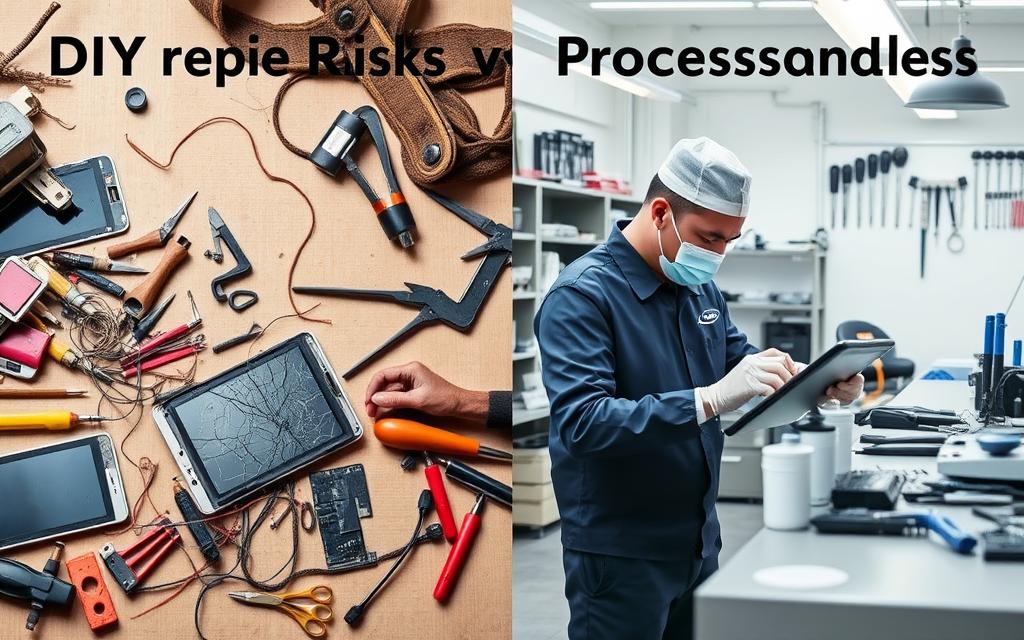
Warranty and Repair Coverage
Knowing your Samsung tablet warranty is key for keeping your device safe. It only covers issues that arise from how it was made. Learning about the warranty helps you make smart choices when it comes to fixing and looking after your tablet.
What the Warranty Covers
The warranty mainly protects against manufacturing faults. You’ll need your purchase proof and warranty card to use these services. There are a few important things to remember about warranty repairs:
- It deals with making errors, not harm from misuse, neglect, or wrong adjustments.
- Fixing a cracked screen costs $29 for each claim. Other repairs might cost more, depending on the device.
- The warranty won’t apply if the serial number’s changed or harm comes from non-Samsung items or wrong setup.
If your warranty doesn’t cover the fix, there are options, even for products bought abroad. But, you will pay for these repairs. Plus, there’s a limit of three claims for missing, stolen, or irretrievable gadgets in a year. The most you can claim is $2,500 for each incident.
Grasping these points gives you a good base if you’re thinking about getting repairs done. For expert fixes, many go to places like Scot-Comp. They offer professional service and guarantee their work.
Preventive Measures to Avoid Repairs
Keeping your Samsung tablet safe requires ongoing care and smart actions. You can look at Samsung’s advice to make your device last longer. One top method to stop tablet damage is by using cases and screen guards, which protect against cracks and scratches.
It’s key to update your tablet’s software regularly. This keeps the tablet’s system up-to-date, boosting its function and security. Being careful about how you use the tablet also matters; don’t put heavy things on it or mix it with sharp objects to avoid harm.
Here’s a list of maintenance advice for tablets that can help avoid repairs:
| Preventive Measure | Benefits |
|---|---|
| Use a protective case | Minimises impact from drops and falls |
| Install a screen protector | Reduces the risk of scratches and cracks |
| Regularly update software | Improves performance and security |
| Mindful usage | Prevents accidental damage from pressure points |
| Avoid contact with liquids | Prevents water damage to screens |
| Consider protection plans | Provides coverage for unexpected repairs |
Putting money into these preventive steps can prevent you from facing sudden repair costs. Through easy tactics and habits, you can make your Samsung tablet last a long time. This means focusing on what you enjoy and staying productive, without worrying about repairs.
Comparing Prices from Different Repair Providers
When your Samsung tablet needs fixing, it’s smart to compare prices for repairs. Knowing the cost range from different providers helps you decide wisely. Gather quotes from several places and evaluate the repair based on what’s included.
Key Questions to Ask Before Getting a Quote
Before choosing a repair service, it’s important to ask a few questions. This ensures you know exactly what you’re getting. These questions help protect your investment.
- What is the warranty on repairs?
- What type of parts will be used? Are they original or third-party components?
- How long will the repair take?
- Do you provide free diagnostics if the problem is unclear?
- What are your policies on water damage repairs and additional hidden costs?
Asking the right questions is key before fixing your tablet, especially for common issues like screen repair on the Samsung Galaxy Tab 3 10.1. This approach helps ensure you get good value.
Conclusion
It’s key to know about Samsung tablet repair costs if you own one. This article covered common repair issues like cracked screens and battery problems. It also looked at what affects repair prices. Finding a trusted repair service is vital for good work and assurance. They offer warranties on parts and labour.
Taking steps to avoid damage is smart. Regular checks and careful use can greatly reduce the chances of issues. Also, researching repair services helps with planning your budget. This way, you’re ready for any surprise expenses.
Understanding the need for repairs is important. With this Samsung tablet repair costs summary, making informed choices about your tablet becomes easier. This leads to better care for your device.
FAQ
What are the average costs for Samsung tablet repairs?
Samsung tablet repair costs vary. They start at £245 for basic models. Prices can go up to £635 for higher-end ones, like the Galaxy Tab S9 Ultra. The repair cost depends on the type of repair and the tablet model.
How can I identify common issues that need repair?
Screen damage is a common issue that often needs a new screen. Battery problems show through fast draining. And, charging ports can fail due to dirt or damage.
Should I choose DIY repairs or professional services?
DIY repairs might seem cheaper but they can risk further harm. They could also void your warranty. Professionals offer quick, reliable service and often give you a warranty on the repair, using quality parts.
What should I know about Samsung tablet warranties?
Samsung warranties cover certain repairs if you follow their usage guidelines. However, getting your tablet fixed outside authorised centres can void this warranty.
What preventive measures can I take to avoid costly repairs?
To prevent repairs, use screen protectors and cases. Regularly update your tablet’s software. And, handle your device carefully to avoid accidents.
How can I compare prices effectively from different repair services?
When checking repair prices, ask about the repair warranty and quality of parts. Find out how long the repair will take. Also, see if they offer free checks to avoid extra costs.
The post Samsung Tablet Repairs: How Much Should You Expect to Pay? appeared first on .
]]>The post Best Places to Repair Your Tablet: A Handy Guide appeared first on .
]]>Most repairs can be done in just one day. Plus, they often come with a 180-day warranty. This makes finding trustworthy help straightforward.
Understanding the Need for Tablet Repair
Tablets are key in our daily lives, yet they face many challenges. This shows the need for tablet repair. Users might notice their tablets running slowly. This could mean they need internal upgrades. Issues like bad CPUs or not enough RAM can slow down performance, leading to repairs.
Battery drain is another common problem. Some find their tablets only last a few hours per charge. This highlights the importance of repairs for battery changes. It’s vital to know about your specific tablet model. This is because some tablets let you change the battery yourself, but others don’t.
Broken screens are also a big issue. They can be unsafe and make tablets hard to use. Fixing or replacing a damaged screen usually requires an expert’s help. This shows more reasons for device maintenance. Also, when facing storage issues, some opt for microSD card upgrades instead of getting a new device.
Knowing about these issues helps when talking to repair technicians. It leads to better diagnosis and fixes. You can get replacement parts from makers or shops, making repairs easier to get. If you’re thinking about fixing your tablet, finding a trustworthy service is key. This helps keep your tablet working longer.
Identifying Common Tablet Issues
Tablets are now very popular, loved for their convenience. But with lots of use, problems can arise. Screen damage, battery issues, and software glitches are common. These problems can affect your tablet’s performance.
Falling can lead to cracked screens, one of the top repair needs. This not only looks bad but makes using the device hard. Also, tablets may lose charge quickly, indicating battery issues. Checking which apps use the most power can help manage this.
Having trouble with Wi-Fi is frustrating. It messes with internet use. Solutions include resetting the router or tweaking Wi-Fi settings. Also, if your tablet slows down or stops working, updating software or clearing memory often fixes it.
Linking tablets to computers can sometimes fail, affecting file sharing. Overheating might cause tablets to shut off suddenly. Keeping your tablet cool and ventilated avoids this. For touch screens not responding, try cleaning the screen or updating the tablet.
If your tablet won’t turn on, check the battery or power button. Trying a different charger could also work. Knowing these issues helps talk to repair experts or fix simple problems yourself. For screen issues, see this guide on fixing tablet screens.
Where to Repair Tablet: Local Service Options
Looking for tablet repairs? Local repair shops are a great choice. These places offer fast service, friendly help, and care about their community. They have experts who know a lot about different tablets. This means they can fix things in a way that’s just right for what you need.
Advantages of Local Repair Shops
Choosing local shops offers many benefits of local services. For example, some shops in Roseville, MI, can fix tablets from Google, Samsung, and Lenovo on the same day. People love getting their tablets back working perfectly in just a few hours. Plus, these shops usually make their customers very happy. One shop has lots more good reviews than bad ones. This shows that local is often the best choice.
- Same-day repair service for many tablet issues.
- Free diagnostics for troubleshooting device problems.
- Competitive pricing with price match guarantees.
- Strong community focus ensuring high customer engagement.
Specialist Repair Services
Some local shops focus on certain brands, like uBreakiFix by Asurion does for Apple and Samsung. They make sure their repairs meet the high standards of the original equipment. They even offer a 1-year warranty on their work. Going to specialists means your tablet is fixed by people who really know their stuff. This gives you the confidence that your device is in good hands.
Popular Tablet Repair Services
When looking for good tablet repair solutions, it’s key to check out what’s available. iFixScreens and uBreakiFix are leading names in tablet repairs. They offer unique benefits that cater to their customers’ different needs.
iFixScreens: Quick and Affordable Repairs
iFixScreens is known for its fast service, finishing most jobs in less than an hour. They fix a range of tablets, like iPads and Samsung Tablets. They quickly solve problems such as broken screens or dead batteries. Their prices are good, and they offer a strong warranty for parts and work.
uBreakiFix: Comprehensive Tablet Solutions
uBreakiFix takes a thorough approach to fixing tablets. They manage to do same-day repairs without needing an appointment, which is a big draw. They’re skilled in fixing many brands and all kinds of issues, from software to hardware. They use high-quality parts and focus on making customers happy. You can learn more by visiting uBreakiFix tablet repair services.
Evaluating Repair Costs
Tablet repair costs can change a lot, depending on the tablet’s model and damage. If you’re deciding whether to repair or replace your device, looking closely at costs helps. Getting multiple estimates lets you compare prices effectively.
Fixing a cracked screen might cost between £100 to £300, based on where you go. High-end tablets can cost a lot to fix, sometimes half as much as buying new. It’s key to think about extra fees like checking the device and labour costs.
Choosing a good repair service means you often get guarantees for the work, protecting what you spend. Good customer service is important too. It makes sure you have a good experience. Beware of very cheap offers, as they may mean the quality is poor.
Deciding to fix an old tablet or get a new one depends on several things. These include how much you can spend and how old your device is. Fixing it can reduce waste and is better for the planet. For more on fixing or buying new, see Asurion’s guide.
Supporting Services: Diagnostic and Warranty Offers
When looking into tablet repairs, it’s key to see the value of diagnostic services and warranty offers. These boost customer trust and promise high-quality fixes. Shops like uBreakiFix by Asurion use top-notch diagnostic tools to spot various tablet problems quickly. They often do free diagnostics to check how well a device works before fixing it.
With over 700 spots, uBreakiFix promises careful checks and clear cost estimates. This makes sure customers get what’s wrong with their tablets. Most diagnostics finish the same day, making repair faster. It shows hidden issues and avoids wasting time and money on unneeded fixes.
Great warranty offers add to the diagnostic services. Every fix at uBreakiFix comes with a 1-year limited warranty. This shows the fixes last and are of good quality. Warranties make customers feel safer, boosting their confidence in the service. Plus, many repairs, like for batteries or screens, start at $99. A repair guarantee makes it even better value.

Choosing Between DIY Repair and Professional Services
When tablet issues arise, the choice between DIY repair and professional services is tough. This decision impacts the ease, cost, and results of the repair work. Knowing the benefits and drawbacks of each option helps in making a wise choice.
Pros and Cons of DIY Repairs
DIY tablet repair has its benefits:
- Cost savings: Skipping professional fees saves money.
- Learning experience: It’s a chance to improve repair skills.
- Flexibility: You can fix things on your timeline.
However, DIY also has its cons:
- Limited tools and expertise: Not having the right tools or knowledge can cause issues.
- Risk of damage: Mistakes might worsen the problem and affect warranties.
- Time-consuming: Some repairs take more time and effort than you might expect.
When to Seek Professional Help
For certain problems, professional repair services are best:
- Complex issues: Leave internal fixes to the experts.
- Quality assurance: Professionals ensure high-quality work.
- Warranty protection: This also keeps the warranty valid.
It all comes down to the repair’s complexity and your skills. Using this information helps you make the right decision. This ensures your needs and abilities are matched.
Customer Reviews and Testimonials
Reading feedback for tablet repairs is vital when choosing repair services. It lets potential customers learn from others’ experiences. This helps them find services that are fast and reliable.
81% of customers report quick or same-day service. This shows how important speed is in these services.
Trust in professionalism and honesty is important, as 73% of reviews show. These qualities make customers feel sure about their choice. They also stress the value of good service.
Cost matters too. 65% talk about how affordable the repairs were. This makes price a big part of the decision.
60% would suggest their repair shop to others. Friends and family trust these recommendations. Also, 52% value the extra effort from the staff. This shows their dedication to great service.
Certifications like Apple Authorized Service Provider mean a lot. They show the repairers know their stuff and use the right parts. Warranties also build trust by covering parts and labor.
Being seen online, like on Google and Yelp, helps shops show off good reviews. Clear communication makes customers happy during the repair process.
| Aspect | Percentage of Positive Feedback |
|---|---|
| Fast or Same-Day Service | 81% |
| Professionalism and Honesty | 73% |
| Affordable Pricing | 65% |
| Recommendations to Friends or Family | 60% |
| Extended Effort by Staff | 52% |
Knowing the value of customer reviews helps make a good choice for tablet repairs. Feedback helps people accurately judge the service quality of local shops.
Finding the Right Repair Service for Your Tablet
Choosing the right repair service for your tablet is important. Quick and efficient tablet repair options are in high demand. Making the right choice will improve your experience.
Specialisation is key when picking a technician. Those experienced with certain brands understand the issues better. For instance, if you have an Apple iPad, finding someone skilled in Apple products is best. This expertise usually results in better and faster repairs. Many shops even offer same-day services, which is great for urgent needs.
Good customer service is vital too. Look at reviews to see what others say. A top service will offer a solid warranty on parts and labour. This shows they believe in their work and reduce repair needs later.
Also look into tablet repair options that use new tech like AI for diagnosing problems. Choosing services that use eco-friendly methods shows their care for the environment.
A checklist for choosing a technician might include:
- Expertise in your tablet’s brand
- Good warranties and guarantees
- Strong reputation, based on customer reviews
- Use of high-quality parts
- Easy access to diagnostic services
Remember to maintain your tablet well after the repair. Do regular software updates and manage storage well. Notice signs like touch issues or battery problems to know when it’s repair time.
Comparing shops will help you pick the best service for your needs. This ensures you’ll enjoy using your tablet for a lot longer.
Conclusion
We’ve learnt a lot about fixing tablets. Knowing what your device needs helps you make smart choices. If you look at local shops and understand repair costs, you can pick what’s best for you. This covers easy fixes like a broken screen or tougher problems like battery issues.
Looking at the repair choices, fixing your tablet often costs less than getting a new one. This is especially true for small problems. Also, choosing to fix helps cut down on electronic waste. This action supports using technology in a way that’s better for our planet.
When picking a repair route, consider the advantages and disadvantages carefully. You might go to a nearby shop, a specialist, or try fixing it yourself. The aim is to spend less and keep your tablet working well for as long as possible.
FAQ
What can cause my tablet to need repair?
Tablets might need fixing for a few reasons. Dropping them can crack screens. Using them a lot can slow them down or make apps crash. Over time, the battery might not last as long.
How can I identify issues with my tablet?
If your tablet’s screen doesn’t respond, it won’t charge, or apps don’t work right, these could be signs. Knowing these signs helps when explaining the problem to technicians.
What are the advantages of using local repair shops?
Local shops can fix things quickly. They offer personal service and care about their community. They are good at fixing popular brands like Apple, Samsung, and Google.
What are the benefits of professional tablet repair services like iFixScreens and uBreakiFix?
iFixScreens can fix tablets fast, often in under an hour. They also give warranties on their work. uBreakiFix offers quick fixes without needing an appointment. They are experts in many brands.
How much should I expect to pay for tablet repairs?
The cost depends on the damage and the tablet model. It’s smart to get price quotes from a few shops. Prices for things like new screens or batteries can vary a lot.
Why are diagnostic services important before tablet repairs?
Diagnostics find what’s wrong before fixing starts. This can avoid fixing things that aren’t broken. Many shops check your tablet for free, which builds trust and ensures good service.
Should I attempt a DIY repair or seek professional help?
Fixing it yourself can save money but might lead to more damage if you’re not careful. For hard fixes or needing special tools, it’s better to get professional help.
How can I find reputable tablet repair services?
Look at what other customers say about local shops. Good comments about how fast, affordable, and well they fix things can guide you. Bad comments warn of possible issues.
What factors should I consider when selecting a tablet repair service?
Think about their special skills, how good their customer service is, how fast they are, and how close they are. This helps you choose the right repair person for your tablet’s needs.
The post Best Places to Repair Your Tablet: A Handy Guide appeared first on .
]]>The post Who Can Fix Your Tablet? Finding Reliable Repair Services appeared first on .
]]>Companies like uBreakiFix by Asurion are trusted by millions around the globe. They have over 700 places with experts to help you. They aim to fix tablets fast, often on the same day. Screen repairs start at a low price of $99. They offer a 1-year warranty on most repairs and provide free checks to find the problem. This makes it easy to get your tablet fixed without worry.
Understanding Common Tablet Issues
Many tablet users face issues that affect how well their device works. Knowing what these problems are helps users fix them quickly. This means their tablets can work well again. Common issues include cracked screens, problems with the battery, and software not working right.
Each problem has its own signs and ways to fix them. It’s important to know what’s wrong so you can solve it properly.
Cracked Screens and Their Repair
Cracked screens are easy to see and big problems. They make it hard to use and see the tablet. You often need a professional to fix it. The cost to fix it can be anywhere from £50 to £200. It’s important to get it fixed quickly to make your tablet work well again.
Battery Health and Replacement
The battery is key to how the tablet works. Most last 2 to 3 years, but it depends on how you use it. If a Samsung tablet’s battery doesn’t stay charged for 5 to 6 hours, it might need a new one.
Signs like the battery losing charge fast mean it’s time for a new one. Changing the battery on time stops more problems from happening.
Software Malfunctions and Solutions
Problems with software include tablets freezing or crashing. If your tablet can’t connect to Wi-Fi, try restarting it and the router. Having too many apps open can also make it slow.
Updating the software regularly makes your tablet safer and work better. It can fix many common problems. If there’s a big issue, it’s best to get help from an expert.
Who Fix Tablets? Identifying Trusted Repair Services
Finding trusted repair services for tablet problems can be hard. Many shops and authorised centres offer help, boasting quality support for different brands. Companies like Phone Repair & More have a big network, with over 700 locations and lots of tablet repair experts. This means you can often get your tablet fixed the same day for common issues.
Service providers focus on making customers happy by giving a personal touch. They explain the issues and repairs clearly. The skills of technicians are top-notch as they’re well-trained. This ensures repairs are done well, meeting top standards.
Certified by big names like Apple and Microsoft, these services ensure good evaluations and proper handling of tablets. Most offer a 1-year warranty on repairs, giving customers confidence. They also use new, not old, parts for repairs. This approach helps the environment by making devices last longer.
Over 15 million repairs show the skill these experts have with various tablet problems. From screen to battery issues, they’ve got it covered. Choosing professional repairs can save money and reduce waste, making it a smart choice.
| Repair Service | Key Features | Warranty |
|---|---|---|
| Phone Repair & More | Same-day repairs, diagnostics, eco-friendly practices | 1-year limited warranty on repairs |
| Staples | Non-refurbished parts, service for various brands | 1-year limited warranty on parts |
In conclusion, picking the right tablet repair experts means looking at what services they offer, warranty details, and their reputation. This helps in getting your tablet fixed well and supports using technology in a green way.
The Importance of Choosing a Reputable Repair Service
Choosing the right repair service is essential for keeping your tablet in good shape. The skills of the technicians are very important. Reading customer reviews can tell you a lot about their reliability and effectiveness. This information helps you make a smart choice when you need repairs.
Experience and Expertise of Technicians
Experienced technicians know how to fix different tablets and their problems. They get training to deal with all sorts of repairs. This can include anything from cracked screens to tricky software issues. Their skill leads to quick and effective repairs, making life easier for customers.
Quality services use original parts to ensure your tablet works well afterwards. Using these parts means your repair will last longer and your tablet will work like new.
Customer Reviews and Testimonials
Reviews are vital for judging repair services. Good reviews often talk about fast service and great customer care. On the other hand, bad reviews might warn you about high prices or bad work. Top repair services share these opinions to show they are proud of their work. This helps build trust with their customers.
Key Factors to Consider When Selecting a Repair Shop
Choosing the right repair shop for your tablet is important. You need to look at several factors. These include warranty, cost transparency, and location. They help ensure your device is well cared for.
Warranty and After-Service Support
Warranty support is key when picking a repair shop. It’s good if a shop offers a solid year-long warranty. This shows they stand by their work and use quality parts. Choose shops that offer high-quality, OEM parts for better warranty coverage.
Cost Estimates and Transparency
Knowing the cost upfront is crucial. Shops should provide a clear cost breakdown before repairs start. This helps avoid unexpected fees later. Good shops will keep you in the loop about any pricing changes. This lets you budget properly for the repair.
Location and Convenience
Location matters when choosing a repair shop. Many prefer shops that offer quick on-site repairs. Extra services like free pick-up and delivery add convenience for busy people. Shops close to home or work are often more appealing.
Types of Tablet Repairs Offered
Understanding the types of tablet repairs is key for device care. Services like Techy and iFixScreens cater to a variety of tablets. This includes iPad, Samsung, and Google Nexus. Let’s delve into the common repair services.
Screen Repair Options
Tablet screens crack often. The cost of screen repairs depends on the tablet’s brand and model. Prices start at £69.99. Most shops fix screens in 30 minutes using advanced tools.
Battery Replacement Services
Battery issues require fast action. Symptoms include quick battery drain or slow charging. At iFixScreens, battery replacement takes less than 30 minutes. This service checks battery health for longevity.
Water Damage Restoration
Water damage is a constant threat. Specialists use modern tools to assess and fix water damage. Their work ensures tablets work well again, even after liquid exposure.
| Repair Type | Estimated Cost | Repair Time |
|---|---|---|
| Screen Repair | From £69.99 | 30 minutes |
| Battery Replacement | Varies by model | Under 30 minutes |
| Water Damage Restoration | Based on damage | Varies |
Knowing about tablet repairs aids in making smart choices for professional help. With accessible services, keeping your tablet in top shape is straightforward.
DIY vs Professional Repair: Weighing Your Options
When your tablet breaks, you must choose between fixing it yourself or hiring a pro. This choice is crucial. It can affect your time, money, and stress levels. Both options have good and bad points worth thinking about.
Benefits of Professional Repairs
Choosing professional help brings several pluses. Experts have the right tools and lots of experience with different issues. Their skills mean your device is more likely to work well for longer. Here’s why going pro is a smart move:
- Quality assurance with warranties on repairs.
- Maintains device warranty, safeguarding against future problems.
- Complete diagnostics performed to identify underlying issues.
- Timely repairs prevent further damage from dust and moisture.
- Expertise in high-end devices that require adept handling.
Risks Associated with DIY Fixes
DIY repairs might save money at first, but they come with big risks. These risks can lead to more costs later. Here are the main dangers of DIY:
- High chance of voiding the device warranty.
- Possibility of incurring further damage due to improper handling.
- Need to purchase additional tools that may exceed the initial savings.
- Increased time investment as troubleshooting can be laborious.
- Frustration from the complexity of tablet technology.

In the end, DIY might work for small problems. But, the dangers often beat the perks with DIY. Professional fixes offer dependability and calm, ensuring experts take care of your tablet.
The Role of Diagnostic Services in Tablet Repair
In tablet repair, diagnostic services are crucial. They ensure customers get the correct fixes quickly. Many providers offer free diagnostics. This lets people have their tablets checked without paying first. Finding out the tablet’s issues this way is very important.
What is a Free Diagnostic Test?
A free diagnostic test is the beginning of fixing your tablet. It includes a deep check to find what’s wrong. This helps if you’re unsure why your tablet isn’t working right. uBreakiFix by Asurion and others do this to help you avoid paying for unnecessary repairs.
Importance of Accurate Diagnosis
Getting it right the first time stops more damage and makes sure the tablet is fixed properly. Today’s tech allows repair centres to identify problems accurately. They can fix simpler issues the same day, saving you time and money. A good repair service will stand by their diagnosis, showing they care about doing the job right.
| Service Type | Turnaround Time | Warranty | Cost |
|---|---|---|---|
| Diagnostic Services | Same Day | 1-Year Limited | Free |
| Screen Replacement | Same Day | 1-Year Limited | Competitive |
| Battery Replacement | Same Day | 1-Year Limited | Competitive |
Where to Find Local Tablet Repair Shops
Finding a good local tablet repair shop might seem tough, but there are easy ways to do it. You can look for a shop close to you or seek more options further away. Finding the right place involves using the right strategies, for sure.
Using Online Directories and Reviews
Using online directories is a smart way to find tablet repair services nearby. By searching terms like “local tablet repair,” you’ll see listings. These listings show contact info and what services they offer. Also, reading feedback from other customers helps understand the shop’s quality and reliability better. uBreakiFix stands out for its quick, wallet-friendly fixes for many brands, such as Google and Samsung.
Asking for Recommendations from Friends and Family
It’s also a great idea to ask your friends and family for repair shop suggestions. They can share their personal experiences with you. This way, you have a better chance of finding a dependable service. People often suggest businesses when they’re really happy with the service they received. Their advice can help you choose the right repair shop confidently.
Preventative Tips to Avoid Tablet Damage
Tablets are essential in our daily lives, from chatting to playing games. Protecting them involves some key tips. By using certain strategies, we can keep our tablets working well for longer.
Protective Cases and Screen Protectors
A top-notch protective case is a must for keeping your tablet safe. Such cases protect it from falls and keep out dust. Similarly, a good screen protector keeps the screen safe from scratches and knocks, making sure it stays clear and touch-sensitive.
Regular Maintenance and Software Updates
Keeping your tablet in top shape is crucial. Clean it with a soft cloth and avoid strong cleaners. Software updates are also important for security and smooth running. Turn on automatic updates for easy management. Charge your tablet correctly with its original charger and avoid leaving it plugged in too long to prolong battery life and enhance performance.
| Preventative Measures | Benefits |
|---|---|
| Protective Cases | Protects against drops and physical damage |
| Screen Protectors | Prevents scratches and impacts |
| Regular Maintenance | Enhances performance and lifespan |
| Software Updates | Improves security and device functionality |
| Proper Charging Habits | Extends battery life |
| Backing Up Data | Protects against data loss |
| Malware Protection | Safeguards sensitive information |
Following these steps for tablet care ensures your device stays robust. This way, it keeps you online and entertained seamlessly.
Cost Considerations for Tablet Repair
It’s key to understand tablet repair costs for informed decisions about your device. This includes issues like cracked screens or battery troubles. It’s also crucial to know average costs for these repairs. Often, fixing a tablet is cheaper than getting a new one, if repair costs are much lower than buying anew.
Average Pricing for Common Repairs
Fixing a tablet screen can cost between £100 to £300. This could save you over 40% compared to buying a new one. New tablets start at £100 and go up to £1000. Battery repairs can run from £50 to £150. Software issues might cost more, based on the problem’s size. Knowing these prices can help you gauge how much you might spend on repairs.
Factors Influencing Repair Costs
Several things can change the cost of fixing a tablet. These factors include:
- The tablet’s brand and model, as high-end brands may cost more to repair.
- How much damage there is, since small problems are usually cheaper to fix.
- If the device is under warranty, repairs might be free or cheaper.
- Any extra fees from the repair shop for checking the device or for shipping.
Thinking about these points can help you decide whether to fix or replace your tablet. This lets you choose what’s best for your situation.
Trends in Tablet Repair Services
The world of tablet repair is changing fast, thanks to new trends and the need for speedy, convenient service. As more people use devices every day, repair services have to evolve to help customers better.
Growth of Mobile Repair Services
Now, mobile repair services are really taking off. They bring the fix to your door, saving you time and effort. This is part of a bigger change, where people want fast and easy fixes for their tablet problems. In North America, both big service centres and independent technicians are offering more mobile options. With more folks working from home, the demand for these services has grown a lot.
Innovations in Repair Techniques and Equipment
New repair methods and tools are making a big difference in the industry. Tools that use AI and predictive analytics can find problems faster and more accurately. This makes repairs quicker. Also, companies are now designing tablets to be easier to fix. They use parts that are simple to replace or upgrade. This is good for users and helps the planet by cutting down on waste. Top-notch security steps ensure users’ data stays safe during repairs.
Conclusion
Choosing the right tablet repair service is crucial. Expert repairs save money and boost your tablet’s performance and life span. Skilled technicians use high-quality parts to make your device work like new.
When looking for repair services, evaluate the technician’s skills and read customer reviews. This ensures you pick a service focused on quality and transparency. A well-looked-after tablet is vital for everyday tasks, making the right repair service important.
Reliable repair services are an effective way to avoid buying a new tablet. They protect your investment and give you peace of mind. With many options out there, finding the best one makes a big difference for your tablet’s future.
FAQ
What are the common issues faced by tablet users?
Tablet users often deal with cracked screens and batteries that drain fast or have trouble charging. They also face software issues that cause the tablet to freeze or crash.
How much does it typically cost to repair a cracked screen?
Fixing a cracked screen can cost between £50 to £200. The price depends on your tablet’s model and the damage level.
What should I look for when choosing a tablet repair service?
Look for a service with experienced technicians and good reviews. Check the warranty length and if they give clear cost estimates.
Are DIY repairs advisable for tablet issues?
Doing repairs yourself can save money but might make things worse or void the warranty. It’s better to get professional help for quality and special tools.
What role do diagnostic services play in tablet repairs?
Diagnostic tests find the exact problems before fixing your tablet, often for free. This saves you from unnecessary costs.
How can I find reputable local tablet repair shops?
To find good repair shops, use online search tools, read reviews, and ask people you trust for suggestions.
What preventative measures can I take to avoid tablet damage?
Prevent damage with protective cases and screen protectors. Also, keep your tablet’s software up to date to avoid issues.
What are the emerging trends in the tablet repair industry?
Trends include mobile repair services coming to you and new repair methods. These trends make repairs more convenient and efficient.
What factors can affect the cost of tablet repairs?
Repair costs vary with the tablet’s brand, how badly it’s damaged, and the repair type, like screen or battery fixes.
The post Who Can Fix Your Tablet? Finding Reliable Repair Services appeared first on .
]]>The post Where to Get Your Nook Tablet Repaired: Top Recommendations appeared first on .
]]>Choosing the right repair service is vital for your Nook Tablet’s care. With many tablet repair services available, knowing about their trustworthiness and effectiveness helps. People who’ve had similar problems offer great advice. For firsthand experiences about repairs, explore this discussion.
Introduction to Nook Tablet Repairs
Nook Tablet users often face various Nook Tablet issues. These can include software problems, broken screens, and battery or water damage. It’s crucial to understand these problems for effective troubleshooting Nook Tablet devices. Getting timely repairs helps your device last longer and stay efficient. So, it’s important to look into repair options you have.
Some people try fixing their Nook Tablet on their own. They think it will save money. However, DIY repairs can sometimes make things worse if you’re not careful. Getting help from professional Nook Tablet repair services has many benefits. They have skilled technicians who know exactly how to solve complex issues.
You can choose from local stores or well-known services like iFixScreens for your repairs. These days, technology changes so fast. Knowing where to get reliable repairs means your Nook Tablet can keep working well for you.
| Repair Service | Repair Time | Warranty | Starting Cost |
|---|---|---|---|
| iFixScreens | Same-day (30 minutes) | 180-day nationwide | From £59.99 |
| Local Repair Shops | Varies | Depends on shop | Typically from £50 |
The Importance of Professional Repairs for Your Nook Tablet
Choosing professional repair services for your Nook Tablet is vital. Trained technicians have the skills and tools needed for effective repairs. They ensure problems are correctly identified the first time. This knowledge saves time and avoids further damage from DIY fixes.
One great benefit of expert repairs is warranty coverage. Professional services like uBreakiFix by Asurion offer a one-year limited warranty on Nook tablet repairs. This boosts customer confidence and shows a commitment to quality.
Professional technicians carry out detailed diagnostics. This approach finds even the hidden problems, helping avoid future issues. With over 700 locations, customers have access to fast and reliable Nook Tablet repairs, often on the same day.
Using professional repair services ensures your Nook Tablet gets high-quality parts. These parts match the original manufacturer’s specifications, maintaining your device’s integrity. Services cover key repairs such as screen and battery issues.
To sum up, professional tablet repair offers quick, effective solutions, improving your Nook Tablet’s value and life. For affordable expert repair services, visit professional tablet repair services.
Where Can I Get My Nook Tablet Fixed
Deciding whether to fix your Nook Tablet yourself or to seek professional help is a big decision. It’s important to understand the pros and cons of fixing things on your own. Knowing when it’s better to get an expert involved is crucial. It can stop you from making problems worse.
DIY Repairs: Pros and Cons
Fixing your Nook Tablet yourself has its perks. It saves money and teaches you about tech repairs. Simple fixes include replacing screens, changing batteries, and resetting software. You can find online guides to help with these tasks.
However, DIY repairs can be risky. There’s a chance you might make the problem worse or even invalidate your warranty. Think carefully about your skills and the risks before you start.
When to Seek Expert Help
Knowing when you need expert help keeps your Nook Tablet running well. You might need a professional if:
- You’ve tried fixing it yourself, but the problem still exists.
- You’re not confident doing complicated repairs.
- The damage affects how well the tablet works.
Choosing professional repair is crucial to avoid bigger issues. Experts can quickly find and fix the problem, making your device as good as new.
Top Repair Options for Nook Tablets
Looking for Nook Tablet repair services? There are many choices out there. Knowing the best places for Nook repairs guides users to the right decision. It’s about finding the perfect spot for your device.
Repair chains like iFixScreens are known for quick, reliable fixes. They often fix devices in less than an hour. That’s great for those who can’t wait. Plus, iFixScreens gives a 180-day warranty for repairs. They handle many common issues, such as:
- Tablet Camera Replacement
- Tablet Battery Replacement
- Tablet Cracked Screen Replacement
- Tablet Water Damage Repair
Local shops offer a more personal touch and convenience. Computer Answers is one of them. They focus on tablet fixes and provide a 30-day warranty on parts. They aim to be trusted repair solutions. Their services are in high demand, including for devices like the Samsung Galaxy Tab 4 Nook.
Online repair services can also save money. But, it’s important to check their reputation. Look at customer feedback, what warranties they offer, and the skills of their technicians.
So, choosing where to repair a Nook Tablet comes down to what matters most to you. Whether you prioritize speed, reliability, or convenience, there’s a service that fits. With the right information, picking the best Nook Tablet repair services becomes easier.

uBreakiFix by Asurion: A Trusted Choice
uBreakiFix by Asurion leads in Nook repairs, offering quick and reliable fixes for your tablet. With more than 700 locations across the country, they have fixed over 20 million devices. This success has earned them a high 4.7-star rating on Google from over 300,000 reviews. Asurion’s services bring peace of mind thanks to skilled technicians. They’re experts at fixing various tablet brands, like Nook, Samsung, and Google.
Fast and Reliable Services
uBreakiFix promises speedy repairs, often done on the same day. Their specialists tackle common problems like cracked screens, water damage, and battery issues using top-quality parts. This efficiency means less waiting for you, making it the perfect choice for urgent fixes.
Free Diagnostics and Transparent Pricing
At uBreakiFix, a free diagnostic test starts off your repair journey. There are no hidden fees as customers get a clear view of the problem and cost upfront. They provide competitive rates for Nook repairs and even promise to match lower prices found elsewhere. This transparency and affordability make them a preferred choice.
One-Year Limited Warranty on Repairs
Choosing uBreakiFix also means getting a one-year limited warranty on most repairs. This warranty showcases their confidence in their work and offers you extra peace of mind. It proves their commitment to quality and builds trust with their customers. This guarantee ensures you get dependable help whenever it’s needed.
Electronic Repair Shops: Local Alternatives
Choosing a local shop for your Nook Tablet brings local repair shop benefits. Faster service and personalised care are big draws. Local technicians know the community’s needs well. By going local, you get quick help and boost the local economy.
Benefits of Choosing Local Repair Shops
Local repair services have many pluses:
- Quick fixes often done the same day.
- Personal touch from technicians who know the local scene.
- Helping small businesses that build community ties.
- Insight into common local repair problems.
- Ability to tailor solutions to individual repair needs.
Tips for Finding a Reliable Local Technician
How to find reliable technicians:
- Look at online feedback to check customer happiness.
- Get recommendations from friends or family who’ve used local services.
- Verify the shop’s qualifications, including repair guarantees.
- Drop by the shop to chat about what you need and watch how they work.
- Ask if they’re experienced with Nook Tablets and if they check devices for free.
Checking repair services before you trust them with your device guarantees a quality fix. It also lets you enjoy the advantages of local technicians. Follow these steps to be sure about your local repair shop choice for your Nook Tablet.
| Benefits | How to Find Reliable Technicians |
|---|---|
| Faster repair times | Check online reviews |
| Personalised customer care | Seek personal referrals |
| Support local economy | Assess business credentials |
| Flexibility in addressing repairs | Visit and discuss repair needs |
Online Repair Services: Is it Worth it?
Online Nook repair services have become quite popular. They are convenient because you can start a repair from home. They often offer remote tech support, letting you fix issues without visiting a shop.
The pros and cons of online repairs are worth thinking about. A big plus is how much money you can save. You can also shop around to find the best prices. Some online services will even match lower prices from their rivals.
But there are downsides to online repair services too. Sending your device through the mail could lead to damage. If repairs take a long time, it can be very annoying. The quality of service might also be a hit or miss. It’s important to check reviews before choosing a service.
Customer service is another important factor. It should be easy to raise any issues or questions. Good customer support can make a big difference in your experience.
On the whole, online Nook repair services offer good value. They are convenient and can be cheaper. But, it’s important to think about what matters to you before deciding.
DIY Repair Kits: A Viable Option?
If you want to save money or enjoy fixing things yourself, a DIY repair kit is a great pick. It’s important to know what to consider when choosing tablet repair kits. This guide will cover key Nook repair kit features and show easy fixes you can do. It makes repairing by yourself less scary and more doable.
What to Look for in a Repair Kit
For repairs to go smoothly, a solid DIY repair kit guide is crucial. Keep the following in mind when choosing a kit:
- Tool Quality: Good tools are key for fixing without harming your tablet.
- Parts Supplied: Make sure the kit has all the parts needed for your repair jobs.
- Instructional Support: Choose kits with clear instructions or video help for easier repair work.
Common Repairs You Can Handle Yourself
Some tablet repairs are easy to do on your own. Here are a few DIY fixes for the Nook:
- Screen Replacement: A new screen can make your Nook work like new if it’s cracked or not responding.
- Battery Change: Changing an old battery can make your device run better and last longer.
- Back Cover Removal: You might need to take off the back cover to fix other parts. This is easy with the right tools.
Doing these repairs yourself can be fulfilling. You’ll likely feel proud of your DIY skills. Just be sure to follow any safety tips during your user-friendly repairs.
Preventative Care for Your Nook Tablet
Keeping Nook Tablets in top shape requires regular upkeep. This prevents common issues. By adopting straightforward tablet care advice, users can keep their devices working well and prolong their life.
Best Practices for Tablet Maintenance
To lower the chance of problems, it’s smart to practice good maintenance. Here’s what to keep in mind:
- Regular Cleaning: Dust off the screen and clean around the edges to stop the display from freezing due to dirt.
- Charging Habits: If your tablet won’t respond because of a low battery, charging it for a few hours might fix it.
- Manage Brightness: Turning down the screen brightness is good for the battery, letting your device last longer without a charge.
- Inspect Charging Cables: If the Nook isn’t charging, trying a new cable or different outlets might help.
- Maintain the Charging Port: Blowing compressed air into the charging port can solve some charging problems by getting rid of dust.
- Monitor Battery Health: Sometimes, batteries get old or break and need changing to keep your tablet working right.
- Address Display Issues: If you see black lines on the screen, you might need a new screen to fix it.
- Perform a Soft Reset: Holding down both the Nook and power buttons for 20 seconds can restart it if it won’t turn on.
By following these tips, users can look after their tablets better. This minimises future issues and improves their tablet use.
Conclusion
Knowing your options for Nook Tablet repairs can help you make smart choices if problems come up. You can fix it yourself or get help from experts. Each path has its benefits and things to think about.
For DIY fans, a good repair kit can save money. Meanwhile, uBreakiFix by Asurion stands out for its professional touch and clear process.
Keeping your Nook Tablet in good shape is key to making it last longer. Use smart care tips and tricks regularly. This stops small issues from getting big. Also, managing your storage well and using Nook’s cloud makes your life easier.
This guide shows the importance of understanding when and how to get repairs done. There are many ways to solve any issue you might face. By staying informed, you can keep your Nook Tablet working great for education and fun.
FAQ
What are the common issues with Nook Tablets?
Nook Tablets often face problems like software glitches, cracked screens, and battery issues. Protecting your device and fixing problems quickly can make it last longer.
Should I attempt a DIY repair on my Nook Tablet?
Fixing your Nook Tablet yourself can save money, but there are risks. It might make things worse or affect your warranty. Think about the repair’s complexity and your skills first.
How do I know when to seek professional help for my Nook Tablet?
If you’ve tried to fix your Nook Tablet and it’s still not right, get professional help. This is especially true if the problem stops the tablet from working well.
What repair options are available for Nook Tablets?
You can get your Nook Tablet fixed at places like uBreakiFix, local shops, or use online services. Think about what’s most important to you before choosing.
What are the benefits of professional repairs?
Experts fixing your tablet mean you get skilled workers, the best tools, and a guarantee on their work. They’ll find and fix the real issue properly.
What should I look for in a local repair technician?
Look for good reviews, ask people you trust, and check the technician’s credentials. Getting someone reliable will make the repair process smoother.
How do online repair services compare to local options?
Online repairs might be easier on your wallet and more convenient, but they’re less personal and can take longer. Decide which matters more to you.
Are DIY repair kits worth it for Nook Tablets?
If you pick a kit with top-notch tools and clear instructions, it can be a good choice. They’re handy for easy fixes like changing screens or batteries.
What are some best practices for maintaining my Nook Tablet?
Keep your Nook Tablet in top shape by updating it regularly, using a protective case, and handling it with care. These steps can prevent many common issues.
The post Where to Get Your Nook Tablet Repaired: Top Recommendations appeared first on .
]]>The post Contact Us appeared first on .
]]>If you you wish to get in touch, call us or fill out our contact form below. We will get back to you as soon as possible.
We are here to help you !
Visit Our Repair Shop
Temporary Closed
Opening Hours
Mon – Sat – 10.00 to 18.00
Sun – Closed
The post Contact Us appeared first on .
]]>The post Tablet Repair Edinburgh Services appeared first on .
]]>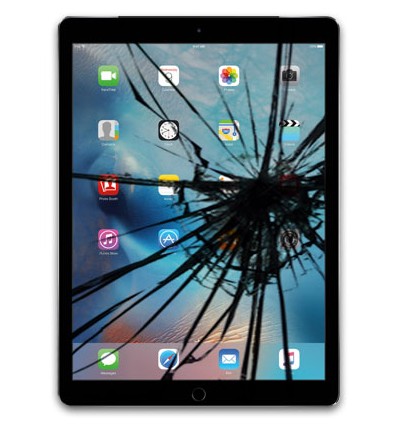
Repair A Wide Range of Tablet Issues
Scot-Comp- Your Partner for Tablet Repair Edinburgh
Tablet users have grown exponentially over the last few years. It is easy to use, and most importantly, portable. No matter where you go, rather than carrying your bulky laptop, you can carry your tablet and start working. However, just like smartphones and laptops need repairing from time to time, tablets go through wear and tear, which is why tablet users look for a reputed tablet repair Edinburgh company. If your tablet is giving trouble, and you want to get the problem fixed, look no further and contact Scot-Comp today.
Whether your tablet has physical damages, for example, a smashed screen, or there are other issues related to USB socket connectivity, charging headphone jack problems, or it has absorbed water accidentally, Scot-Comp has a team of technicians who can look into the problem, and resolve it with a quick turnaround. We are backed by a team of thorough professionals who can resolve all kinds of tablet repair Edinburgh services, and yes, we offer our service at an economical price so that you don’t have to worry about your budget.
Scot-Comp is Here to Assist You
Tell us the tablet brand, and we will get into resolving the issue right away. You can give us a call to know when to come; else, drop by the service centre, and our team will take care of the rest. Scot-Comp can repair many tablets brands, such as Samsung, Apple, Asus, HTC, Sony, Toshiba, and more. Additionally, our tablet repair Edinburgh service is quick, long-lasting, and pocket-friendly.

90-Day Warranty
Scot-Comp is well-equipped with top-notch equipment. This is the reason why our services are always quick. Even though you can buy a new tablet, but buying will cost you a lot of money. When you can resolve the problem by paying less, you should always think about getting in touch with a reliable tablet screen repair Edinburgh company. Getting your tablet repaired is easy when you have Scot-Comp. Plus, all the repaired tablets will come with a 90-day warranty.
Professionals At Your Rescue
We at Scot-Comp ensures that your tablet gets fixed by a professional technician and engineer only. This is the reason why we hire only experts to join our team. We are equipped to deal with tablet problems, such as touch screen, screen replacement, button replacement or repair, charging socket repair or replacement, power problem, camera repair or replacement, memory card and SIM card repair or replacement, speak and software repair or replacement, water issues, and much more.

How to Get Your Tablet Repaired?
Simple! Give us a call, or come and visit us. Once we have your tablet, we will look into the issue, offer you the right solution, and tell you a fair price. Once we are done with the task, you can come and take your tablet.
Scot-Comp Cares for Your Money and Tablet
We understand that some tablet screen repair Edinburgh service will cost you more money depending on the problem you are facing. But unlike other companies, Scot-Comp believes in a fair pricing policy, and this is the reason why we always charge you fairly, and no, we don’t have any hidden price policy. You will bring the device to us; we will take a look at it, talk about what has to be done, and finally quote the price. Everything happens in a streamlined way here.


Bespoke Tablet Screen Repair Edinburgh Service!
If you are dealing with some issues with your tablet and cannot use it, don’t wait for the problem to escalate. Simply call us and let us know when you will come with your device. Scot-Comp is right here for you, and we will fix the problem as soon as possible so that you can start using your device the soonest.
Scot-Comp has in-depth knowledge and comes with years of experience when it comes to tablet repairing. No job is big or small to us. Our technicians and engineers are well-trained. Leverage our comprehensive range of tablet screen repair Edinburgh services, and call Scot-Comp today.
The post Tablet Repair Edinburgh Services appeared first on .
]]>